Multilevel load management error message

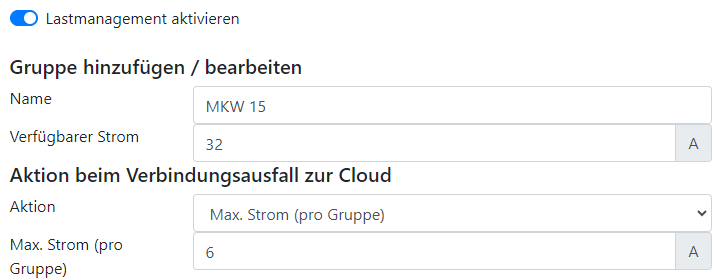
-
The load management group is probably not configured correctly:
"Max. current (per group)" ("Max. Strom (pro Gruppe)") is not selected as the cloud connection failure value
-
The internet failure configuration is not available.
Perform a firmware upgrade to at least 0.0.25
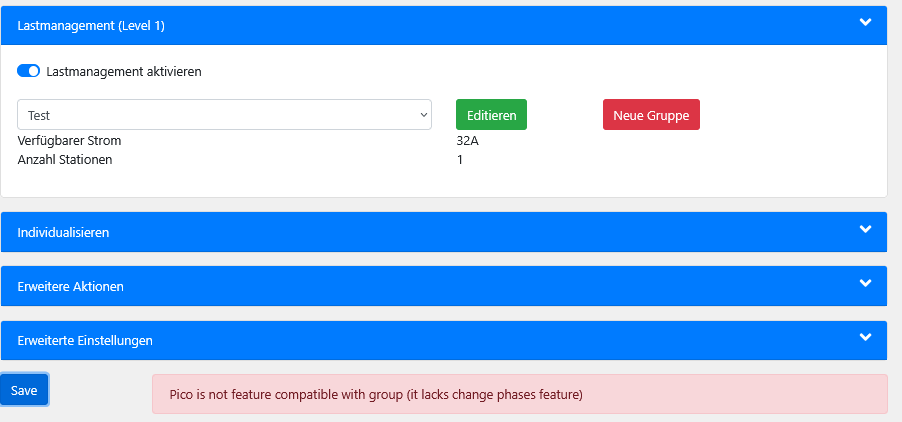
- The load management group was created with Picos that support phase balancing. Every additional Pico must also support phase balancing. This can be added with a firmware update to version 0.0.34 or later.


- No text entered in the "Name" ("Name") field
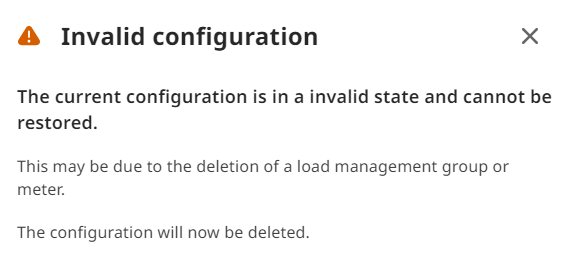
-
A previously used Pico load group or meter hardware was deleted on the hardware side.
The MLM must be configured again to restore the function.
-
Always delete the relevant Pico load groups from the MLM tree first and only then on the hardware, so that the configuration is not destroyed.
Too little current is always allocated to a group
This can have the following causes:
-
There is not enough capacity for all groups --> Reduce the group currents slightly to achieve a balance between the groups.
-
There is not enough capacity for all groups --> Temporarily reduce the group currents using the minimum current group setting per hour.
The groups are only ever provided with the internet failure current
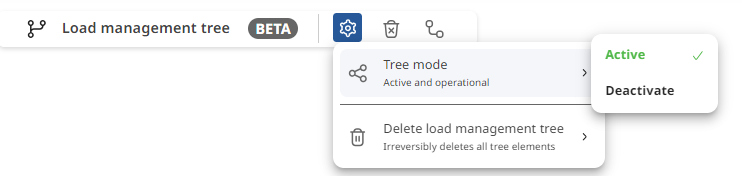
- The MLM is not active and, as a safety measure, only distributes the internet failure current --> Activate MLM (MLM Aktivieren) and click Save (Speichern).