smart-me Wiki Switzerland
This starting page applies to Switzerland and Liechtenstein. You can find topics such as ZEV, vZEV, LEC and VEWA billing in the navigation on the left; hardware, commissioning and troubleshooting are the same everywhere.
Help and contact
Account, subscription and meters — the questions we receive most often.
Sales, licences and technical support for Switzerland and Liechtenstein.
Current and resolved outages of the smart-me services.
News
NEW: ZEV with emergency power systems
You can now use an alternative tariff setup for emergency power systems.
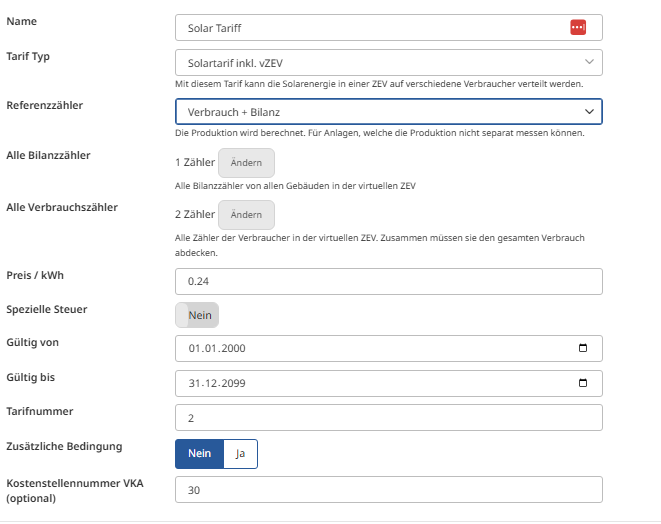
Since there is often no space for the solar meter, you can now simply set up tariffs using the building connection and total consumption, without having to go to the trouble of adding the solar meter.
To do this, select the solar tariff incl. vZEV (Solartarif inkl. vZEV): - Reference meter: Consumption and balance (Referenzzähler: Verbrauch und Bilanz)
The tariffs are now calculated correctly without a solar meter, saving you cumbersome installations and conversions.
Note: If it is possible to install a solar power meter, please do not hesitate to do so. Complete coverage of the metering concept can compensate for incorrect data caused by meter defects, whereas systematically leaving meters out removes this possibility.
Small update on the SolarManager from August 2026
With the new SolarManager update, Picos are no longer controlled via the serial number but via the ID of the load management level 1 group.
In this short video, I show you step by step how this works so that you can make the correct settings on the smart-me side.
This is great to know: the update makes single-phase charging at 6 A (approx. 1.4 kW) possible, which is ideal for smaller PV surpluses. You can find out how to configure this in the SolarManager documentation.
solarmanager_update_2026.mp4
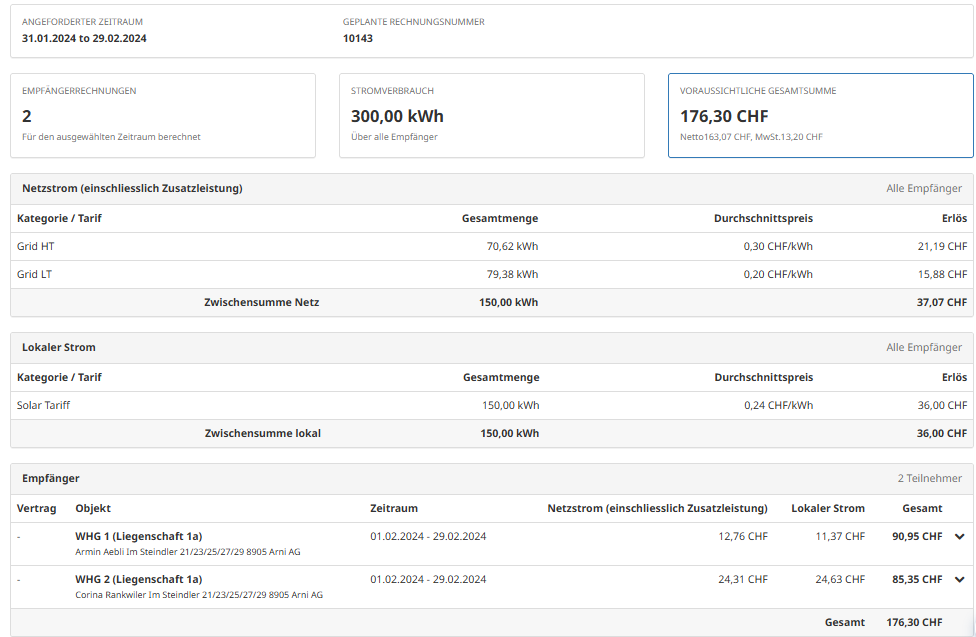
NEW: Invoice preview V1
You can now generate an invoice preview before creating final invoices.
-
Check your configurations quickly and easily.
-
Validate your billing more easily
-
No more creating incorrect invoices without prior validation.
Where?
Billing (Rechnungsstellung) --> Invoices (Rechnungen)

Update to our terms and conditions & privacy policies
We have updated our General Terms and Conditions (GTC) and privacy policies. To regulate data processing within our group of companies in the best possible legal way, the documents have been supplemented with a so-called "Joint Controller Agreement" (JCA). The updated versions are now available online for review.
Important: Our new online shop from 1 July 2026
Prepare for a smooth transition to our new, modern platform. Get a quick overview of:
-
Order deadline in the old shop: Place urgent orders by 26 June 2026 at 11:00. After that, the old system will be shut down.
-
Bridging by email & phone: During the transition phase (29 June – 1 July), simply order directly from us.
-
Activation for existing accounts: Use the activation link you will receive by email on 30 June from our new service provider Odoo.
-
Familiar discounts & prices: Continue to benefit from your individual conditions, which are already stored in the new system.
-
Launch of the new platform: From 1 July 2026, shop quickly and easily in the new shop.
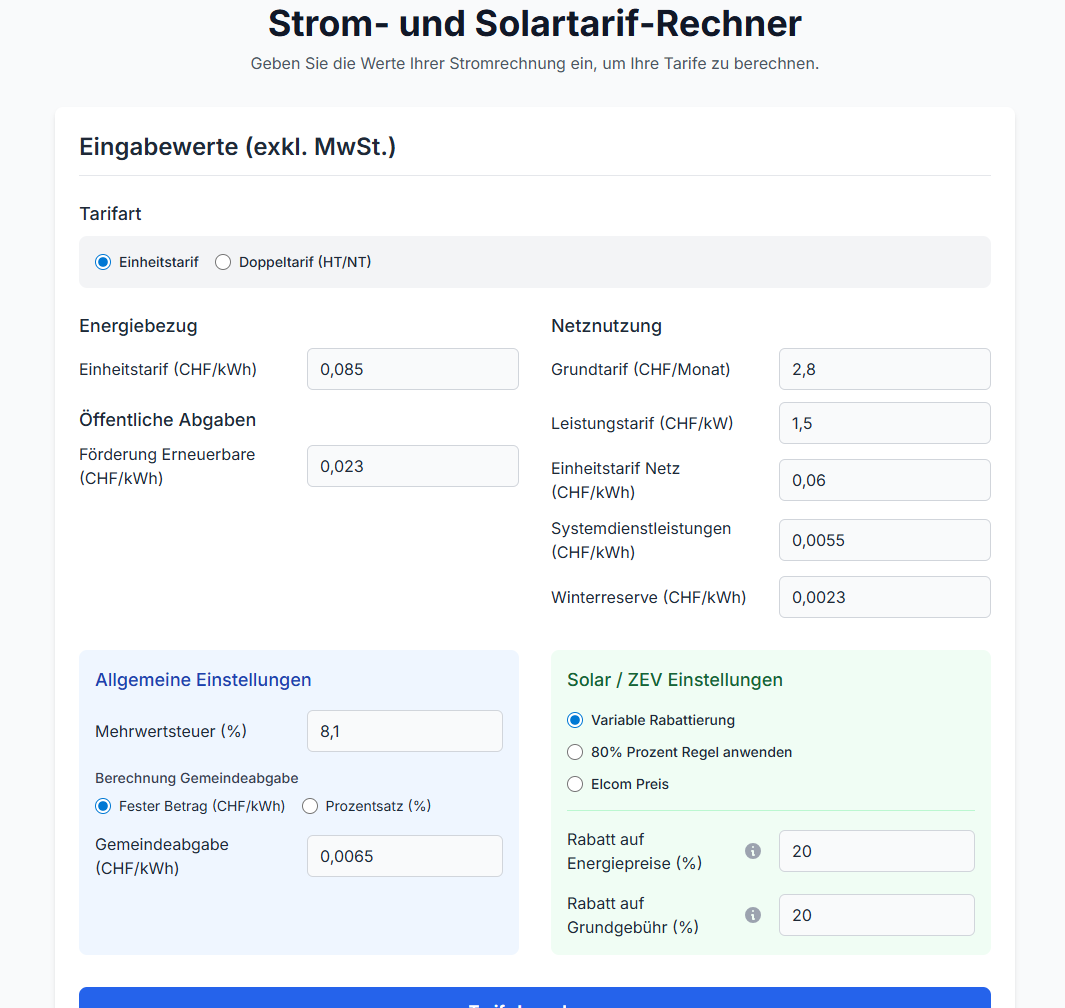
Update: Online electricity and solar tariff calculator
-
Extended input
-
Customizable components
-
Dedicated specification of the entries in smart-me Billing
→ To the tariff calculator for electricity and solar
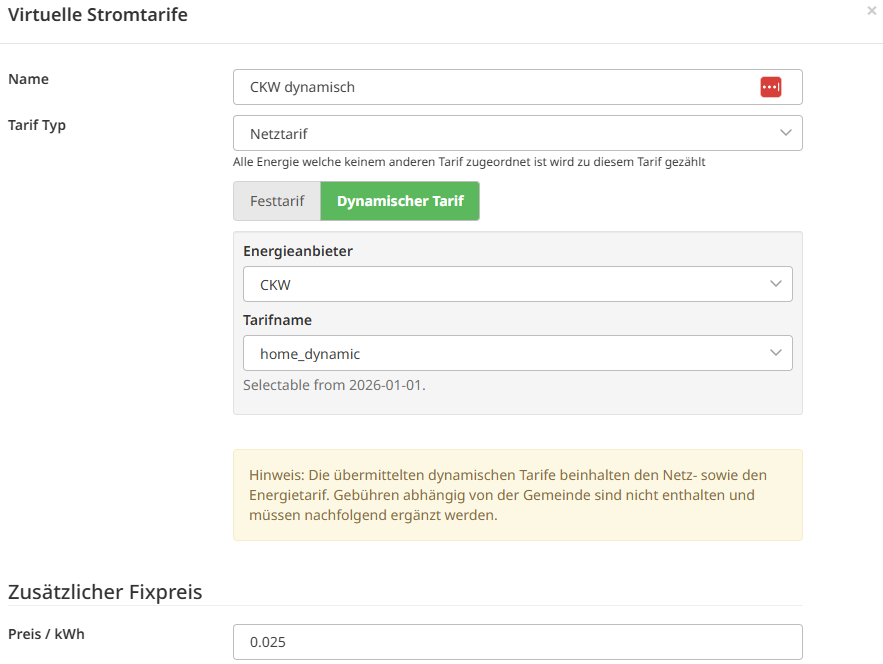
New: Billing dynamic grid tariffs
You can now also bill dynamic grid tariffs to your tenants.
We import the dynamic tariff from your provider and apply it every 15 minutes to the actual grid consumption of the respective consumer.

New: My Dashboards
Lets you create personalized dashboards such as energy flows and overview displays of your building.
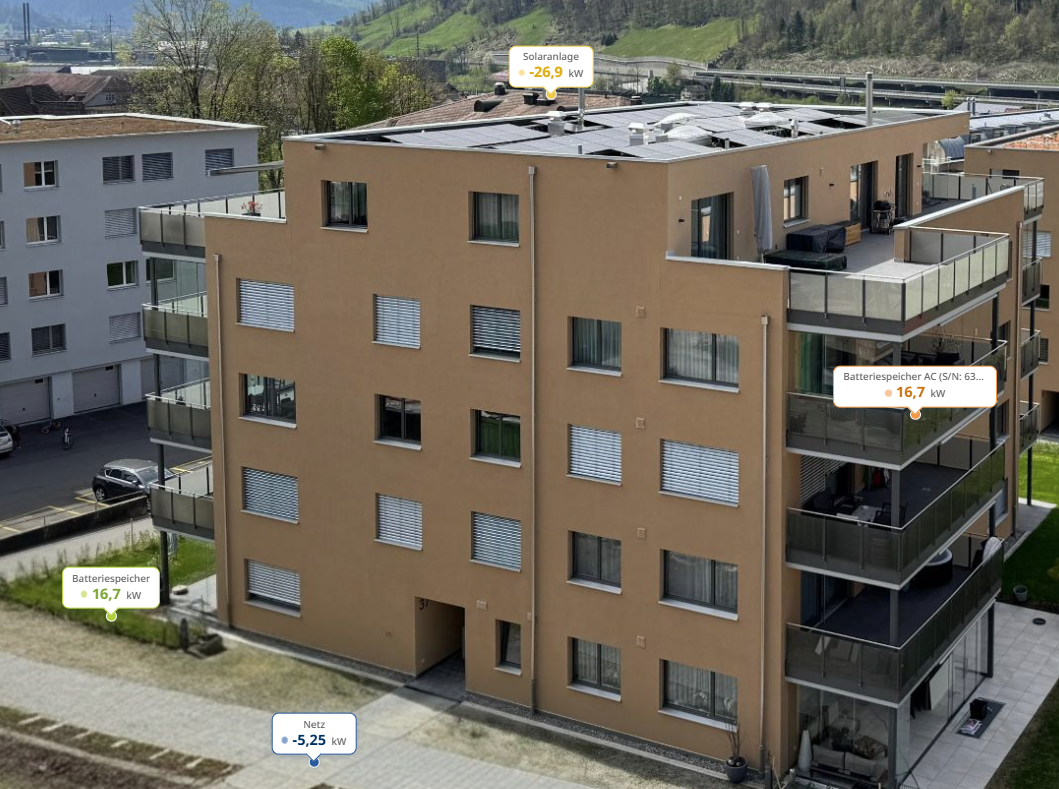
-
Energy map
-
Energy flows

New: Technical Tools
In the new Technical Tools (Technische Tools) section, you will find aids for installation and maintenance of the installation.
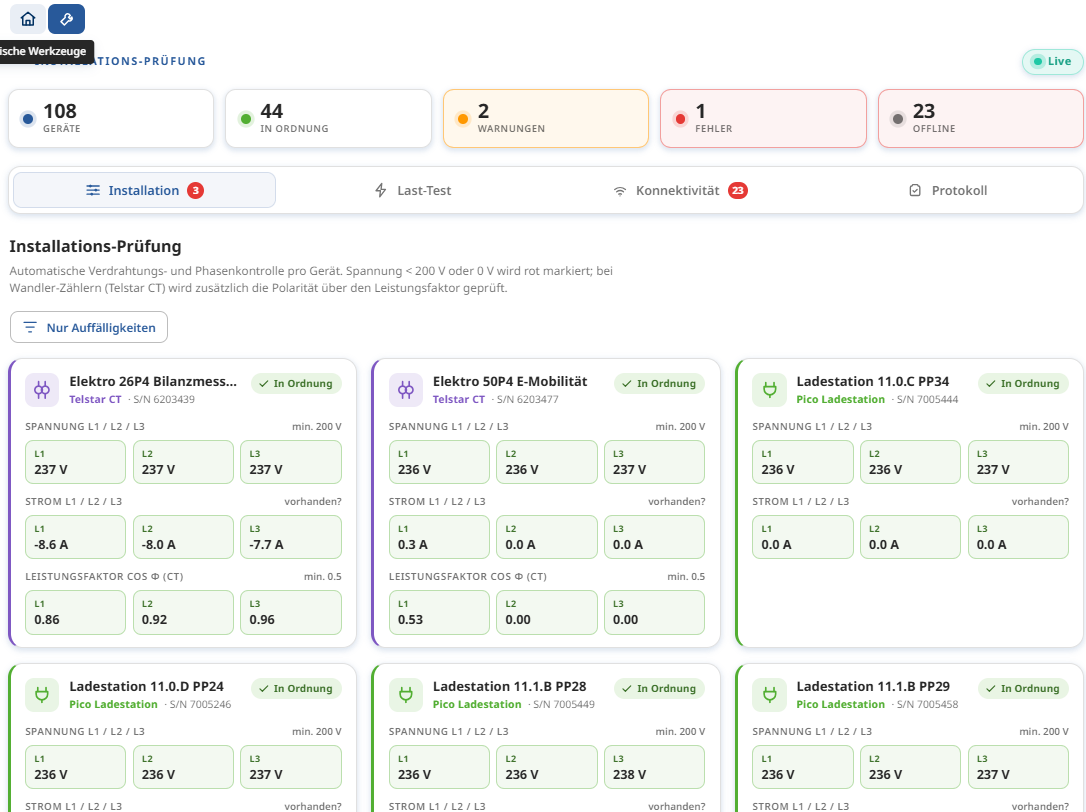
- Installation check (Installationsprüfung)

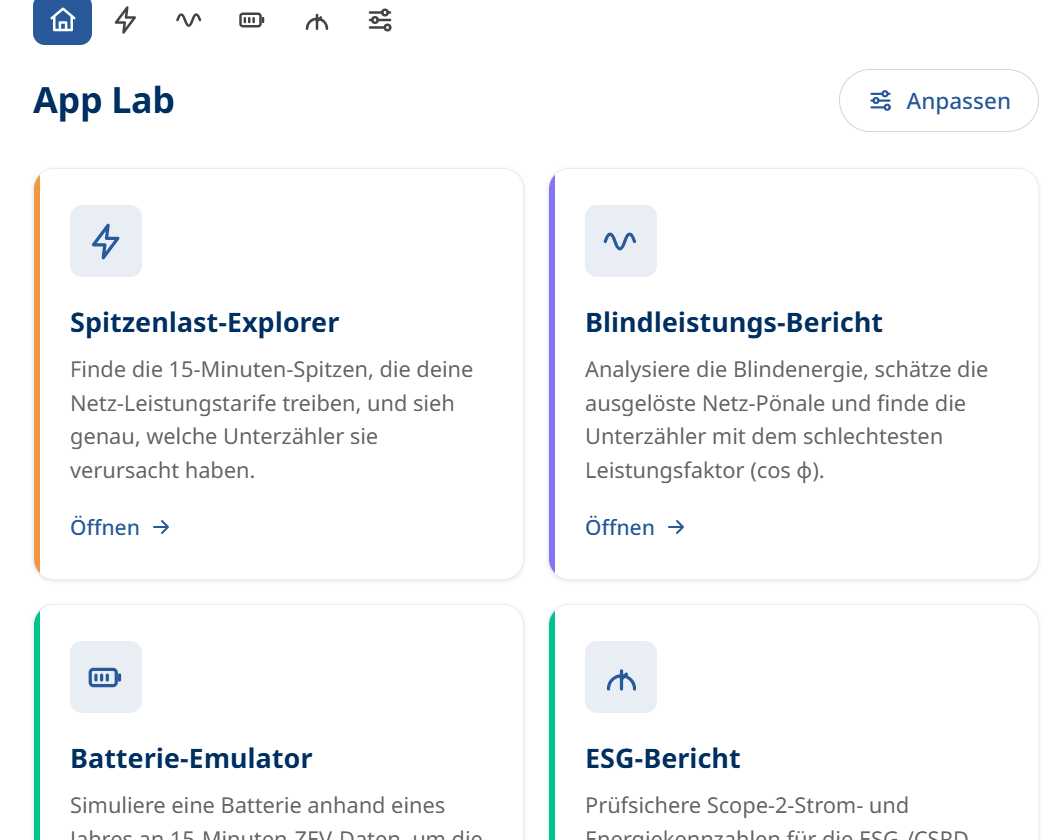
New: AppLAB
The new AppLAB section is an experimental area that provides various features in order to test their effectiveness.
-
Peak Load Explorer (Spitzenlast-Explorer)
-
Reactive Power Report (Blindleistungsbericht)
-
Battery Emulator (Batterie-Emulator)
-
ESG Report (ESG-Bericht)
-
Autobill Setup Wizard (Autobill Einrichtungsassistent)
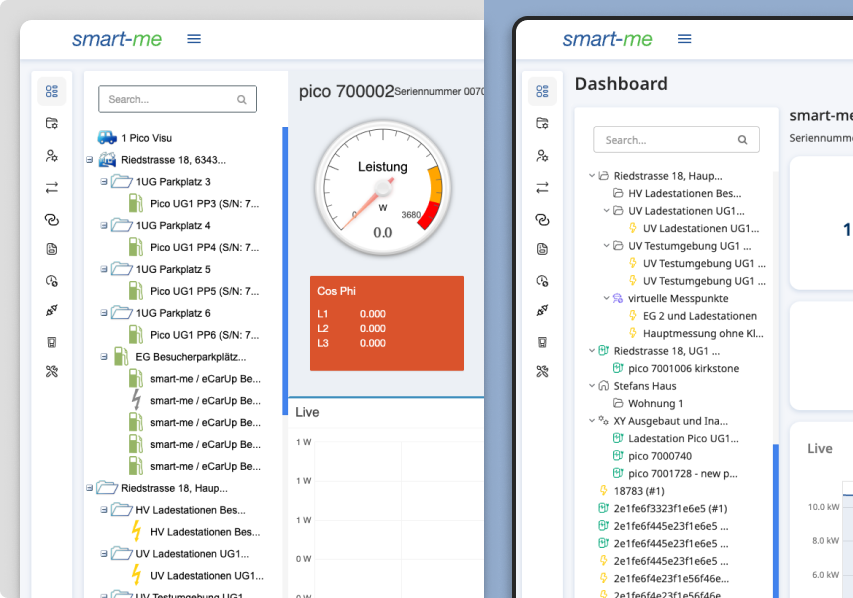
New: UI overhaul
The entire smart-me UI has received a design refresh.
- Nothing has changed in terms of usage.
New: ZEV Performance overview
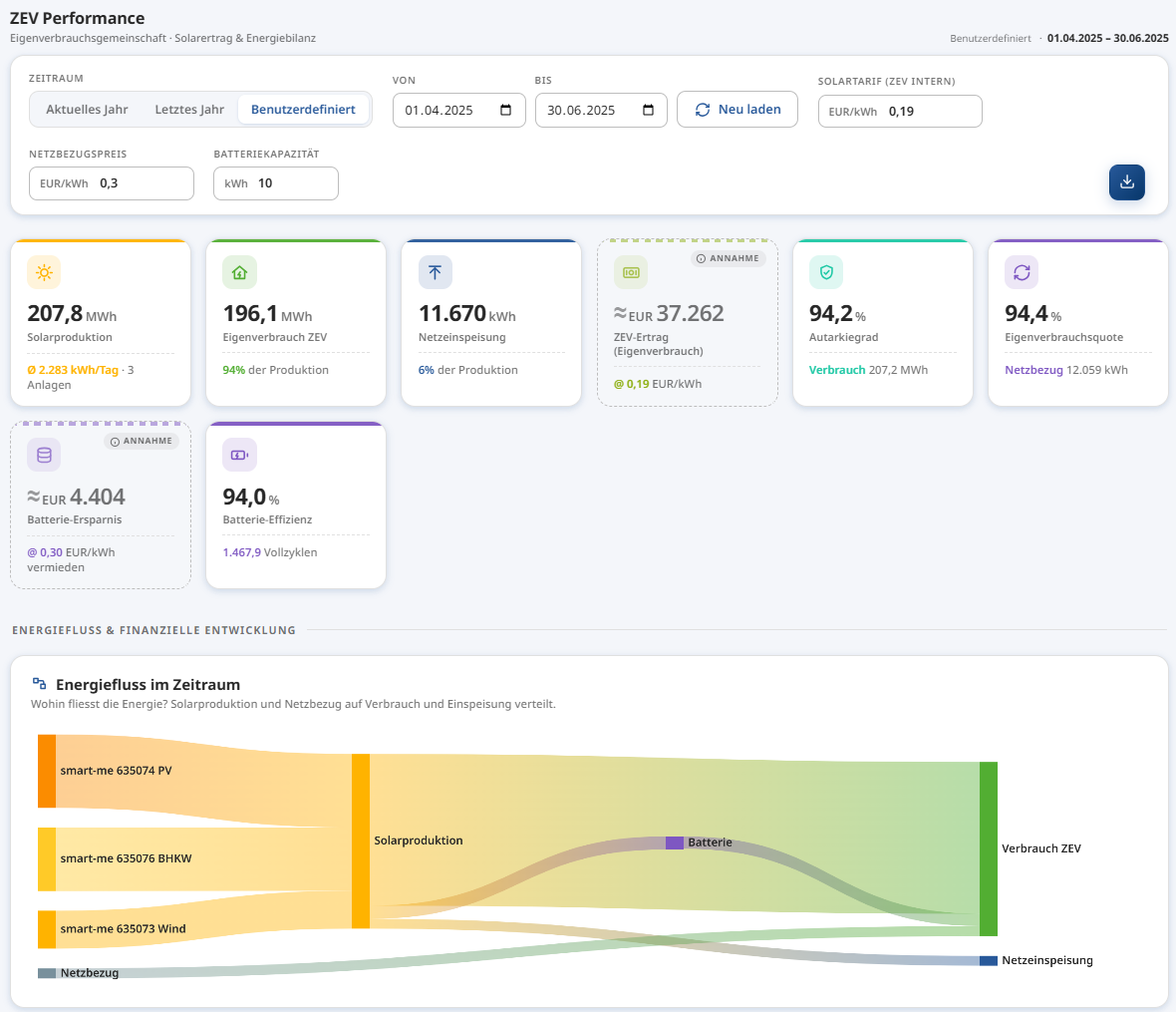
Check the production and yields of your ZEV (association for own consumption) in the new "ZEV Performance" visualization. Get a quick overview of:
-
Energy flows with the new energy flow visualization
-
Energy production and yield
-
Peaks in consumption from and feed-in to the grid
-
Identify high-production days with the heat map visualization
-
Analyze the efficiency of your battery in the ZEV
→ More information on the new visualizations
Visualization update
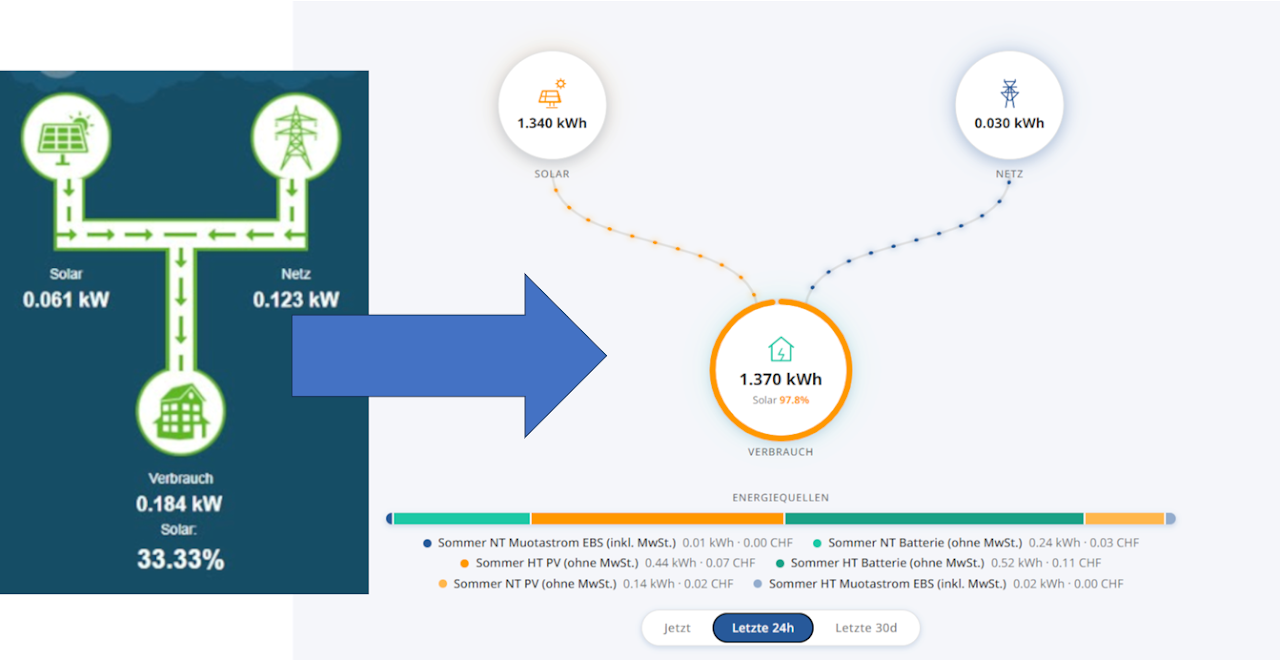
Existing visualizations:
Existing visualizations receive a new design. They are updated automatically without any additional configuration.
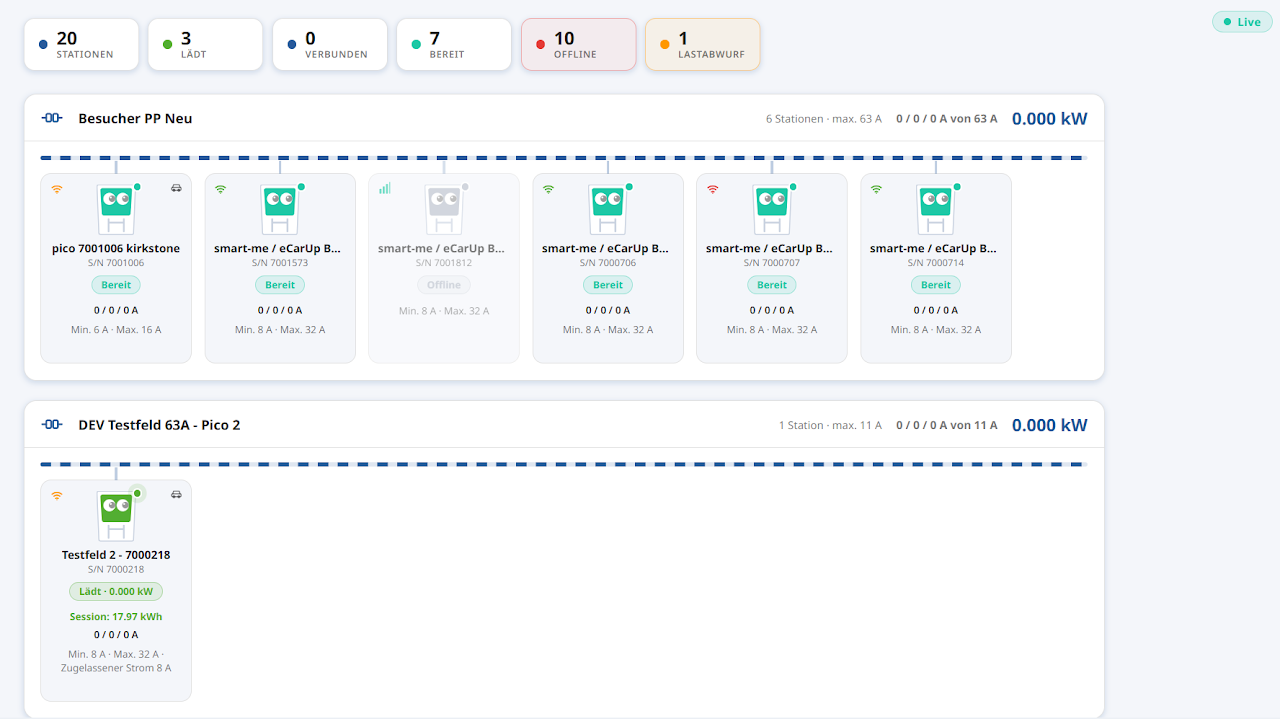
New Pico visualization:
Take a look at the new Pico visualization, which shows all Pico charge points and their charging groups at a glance – with current draw, occupancy, maximum power consumption and much more.
→ More information on the new visualizations
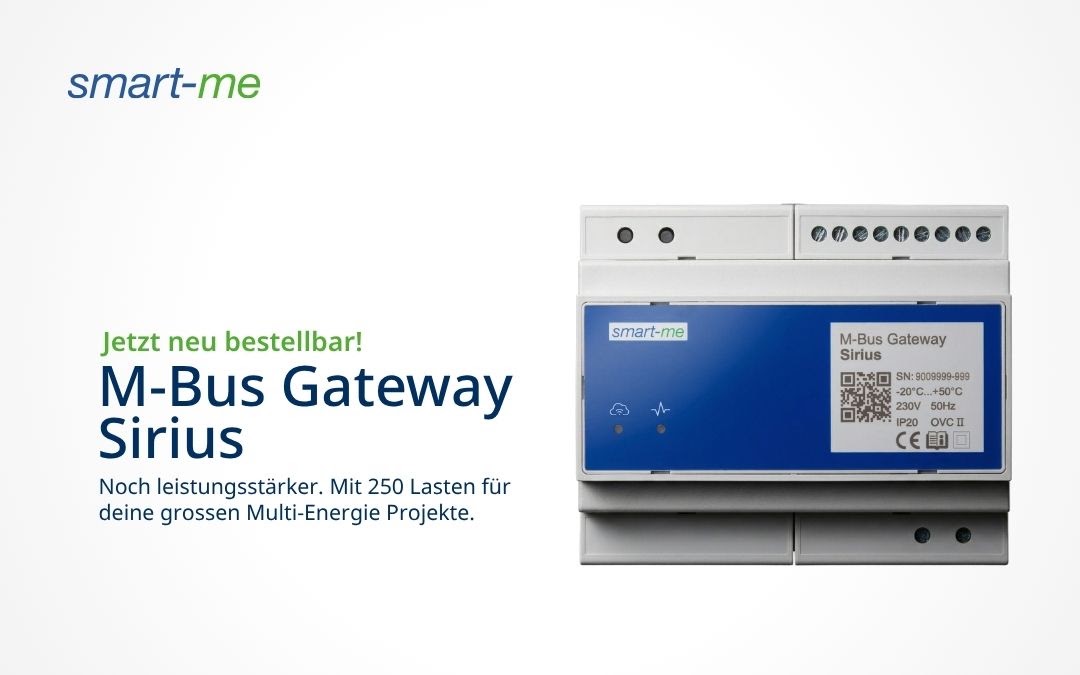
The new M-Bus Gateway Sirius is here!
Our product family continues to grow: with the Sirius, we are launching our most powerful gateway yet for large building infrastructures.
-
Massive capacity – Up to 250 M-Bus standard loads in one device.
-
Multi-energy – Water, heat, cooling and gas managed centrally.
-
Maximum security – Huge data storage in the event of connection failures.
→ More information on the Sirius
NEW: VAT – charging it correctly
Applying VAT is an important point in billing. To avoid making mistakes there, you will find instructions here on how to correctly show VAT for your case.
VAT law relating to the ZEV (association for own consumption) is changing almost as quickly as the technology.