DTA-VHKA Files Import / Export (Beta)
General description of the interface
DTA-VHKA (data carrier exchange for consumption-based heating and hot water cost billing) is the name of the interface for the electronic exchange of consumption-based data between billing companies and property managers.
A uniform Switzerland-wide interface for importing consumption data into property management software ensures efficiency and flexibility. This allows property management companies to work with all meter reading companies, regardless of the software they use.
Working notes for VHKA files
-
The tenant list is maintained in the property management software. In the smart-me portal, the contracts and vacancies are automatically imported under "Invoice recipients" ("Rechnungsempfänger").
-
The tenant list in the property management software must be complete. Vacancies must be transferred.
DTA-VHKA import and export process description
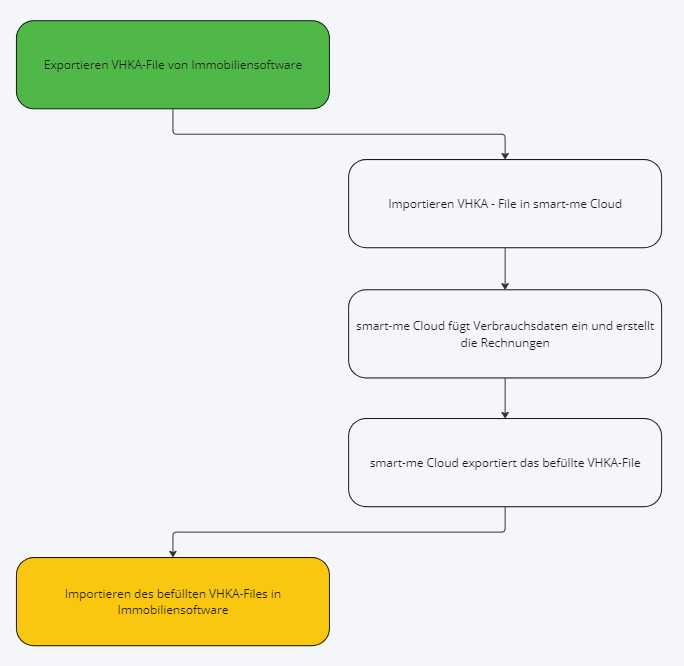
- Export the VHKA request file for the property from the property management software. The file is created for a property based on a billing period (start date, end date). This file then contains a request for each tenant of the property within this period, for each existing billing unit, for:
-
The consumption of the meter unit in kWh or m3
-
The per mille value of the total distributed costs (VEWA must be configured in smart-me)
-
The per mille value for basic costs and variable costs (VEWA must be configured in smart-me)
-
The price of the accrued costs in a currency, as a total or split into basic costs and variable costs. (VEWA must be configured in smart-me)
-
The billing units and the corresponding cost centres must be matchable in both software systems. This is done using the external keys in smart-me.
-
The exported VHKA request file can then be uploaded to smart-me Billing.
-
smart-me Billing calculates the consumption of the individual billing units per energy type and fills the uploaded file with the data.
-
The file, now completed with the data, is exported again.
-
The completed VHKA file can now be uploaded back into the property management software.
Currently supported formats
- XML (DTA-VHKA standard)
Uploading and downloading the file
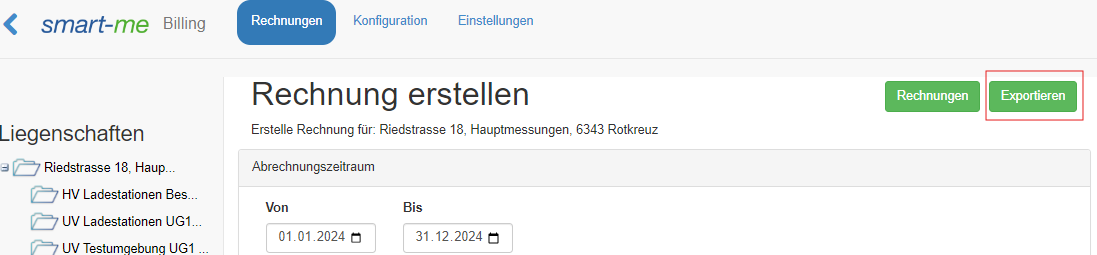
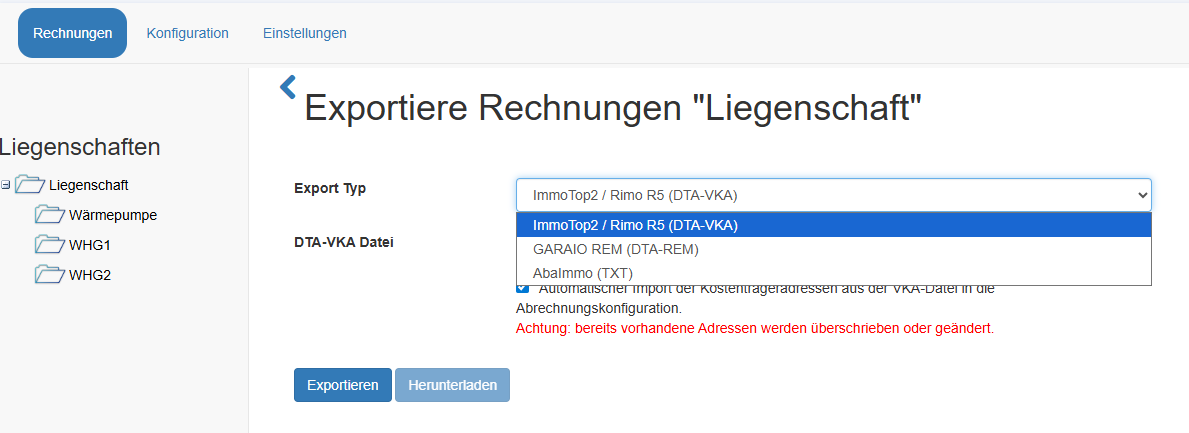
- In Billing, navigate to "Invoices" ("Rechnungen") and then to the "Export" ("Exportieren") section.
2. Select the export type and upload the file using "Export" ("Exportieren").
3. Download the completed file to your computer using "Download" ("Herunterladen").
Linking cost centres with smart-me energy tariffs and residential units
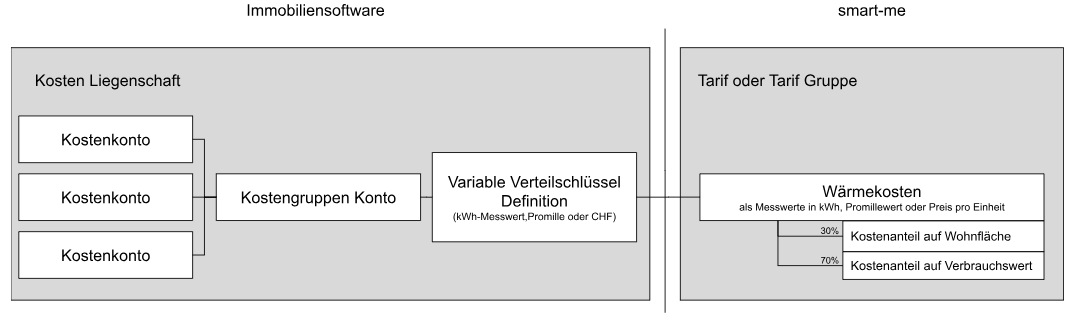
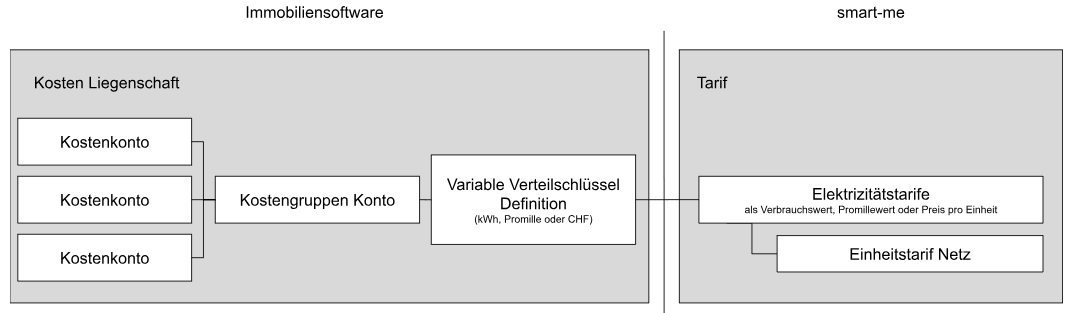
For the connection between the property management software and the smart-me property to work, matching cost centres and residential units must be created in both systems.
These are in turn linked once to the tariffs and residential units in smart-me via ID numbers from the order file.
The overview below applies to all property management systems.
Cost centres and tariff links when one cost centre = one tariff system
Cost centres for heating, cooling, domestic hot water and cold water
Cost centres for electricity
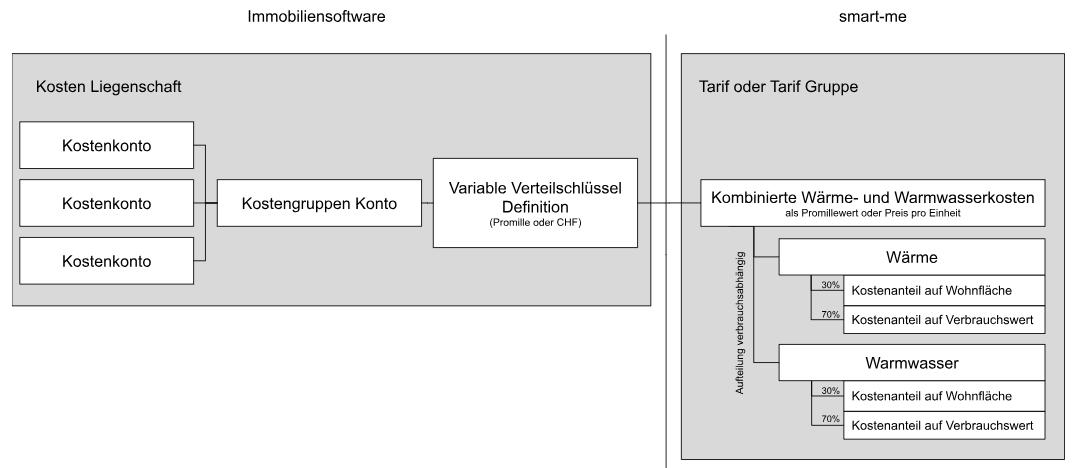
Cost centres and tariff links when one cost centre = several combined tariffs
Cost centres for heating, cooling, domestic hot water and cold water when combined
Combinations:
-
Heating and domestic hot water
-
Heating + domestic hot water + cooling
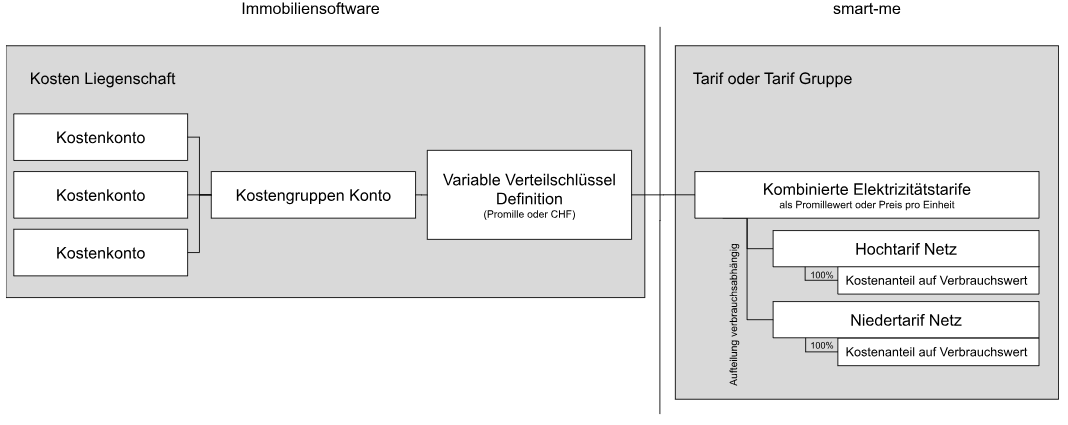
Cost centres for combined electricity
Most common combinations:
-
Cost centre grid electricity: tariffs HT and NT + peak power
-
Cost centre local electricity: tariffs solar power HT + solar power NT
Linking cost centres with energy tariffs (defining VKA keys)
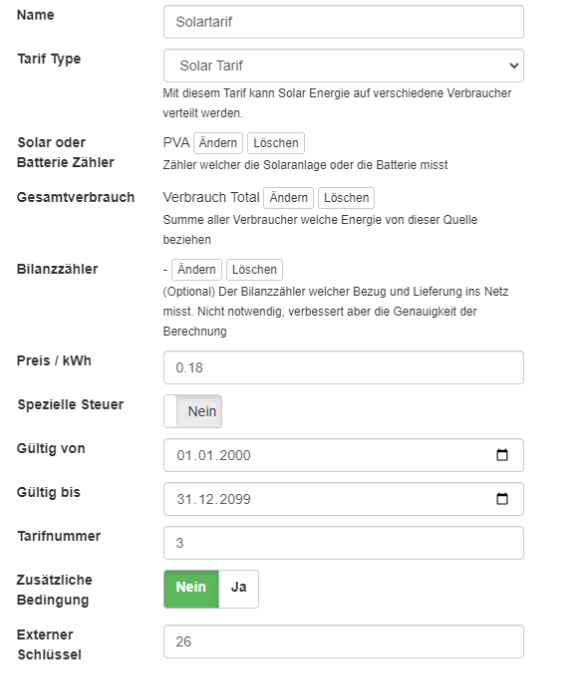
External keys are required to match the billing units and cost centres in the request file with the tariffs and billing units of the smart-me platform.
Note: As long as there are no changes on the property management software side (additional rooms or cost centres), the external keys are static and do not need to be renewed each time.
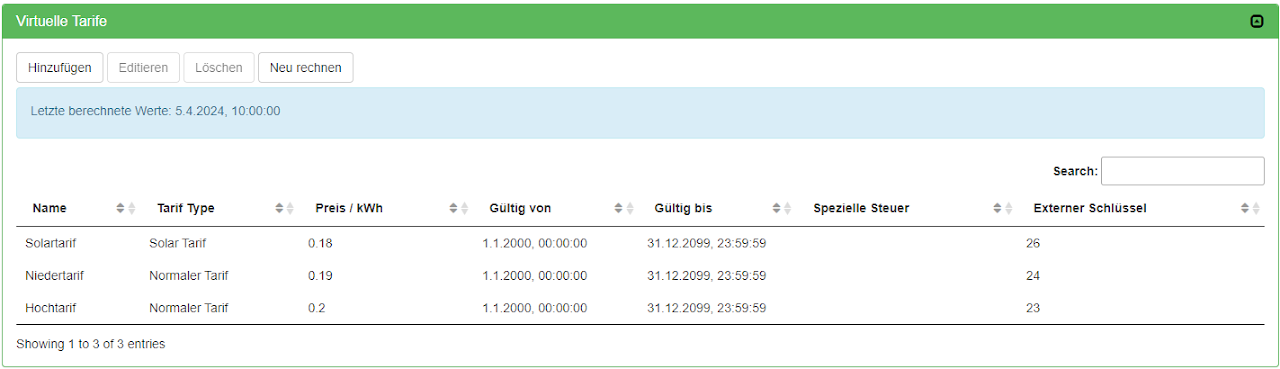
So that the cost centres in the VHKA order file can be assigned unambiguously, a matching tariff must be defined and linked in the smart-me portal for each requested energy source.
The link is made via the respective external key of the created tariff.
If several tariffs are linked to the same cost centre, the tariffs simply receive the same cost centre ID.
Single: Cost centre grid electricity (ID= 6) --> Single tariff grid ( External key = 6)
Combined: Cost centre grid electricity (ID= 6) --> Peak tariff ( External key = 6) and off-peak tariff (External key = 6)
Note:
-
If electricity tariffs are transmitted in combination, the prices for the electrical tariffs must be stored in smart-me!
-
For heat and water tariffs in combination, the costs are not required in smart-me.
Compatible software and specific configuration notes
Property management software that supports the DTA-VHKA standard. List according to Qualipool: https://qualipool.ch/projekt/
-
Rimo R5 (Immotop2 instructions )