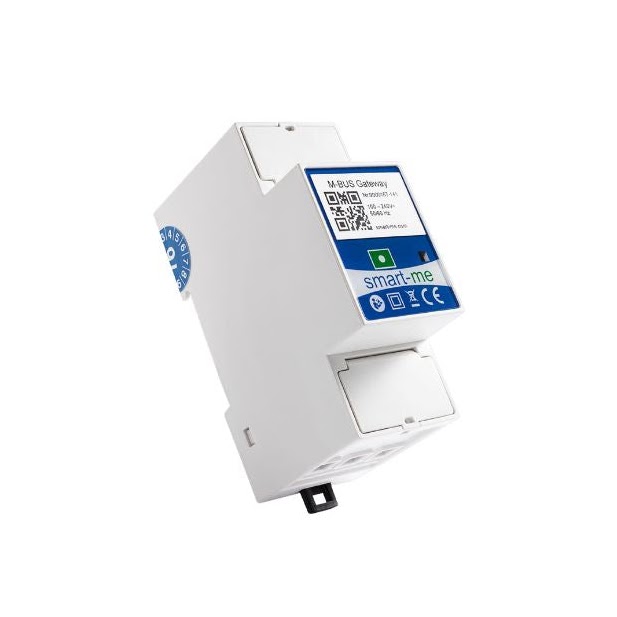
M-Bus Gateway
The M-Bus Gateway with integrated level converter for 50 M-Bus unit loads. The compatibility list, commissioning and installation instructions apply to both devices and can be found on the overview page.
Features
-
Installation with the free smart-me app.
-
Integrated level converter for 50 M-Bus loads
-
Integrated power supply
-
Supports M-Bus devices according to EN 13757-2, -3 (formerly EN 1434-3) The standard defines the protocol, but not the data it contains. Compliance with the standard alone is therefore no guarantee that a device will actually work. Check our compatibility list.
-
Billing with the smart-me Billing Tool
-
Interfaces via API, CSV, MSCONS and IS-E
-
Encrypted real-time data connection to the smart-me Cloud
Technical data
| Feature | Value |
|---|---|
| Product certification | CE |
| Mains voltage | 100-240 VAC 50/60 Hz |
| Temperature range | -25°C to +55°C |
| Rel. humidity | Annual average 75%, non-condensing short-term 95%, non-condensing |
| Interfaces | WLAN, M-BUS |
| Communication | WLAN IEEE 802.11 b/g/n (2.4 GHz) |
| WLAN security standard | WEP, WPA-PSK/WPA2-PSK |
| Number of M-BUS slaves | 50 unit loads (With repeater up to 100) Up to 25 without self-powering |
| M-BUS baud rate | 300, 2400, 9600 (automatic search and detection) |
| Galvanic isolation | Yes |
| Data storage | 6'000 readings |
| Firmware update | Possible online |
| EMC immunity | EN 61000-6-2 (industrial environment) |
| EMC emission | EN 61000-6-3 (residential environment) |
| Degree of protection housing/terminals, use | IP20 / IP51 (installed in control cabinet), indoor |
| Mounting | DIN rail |
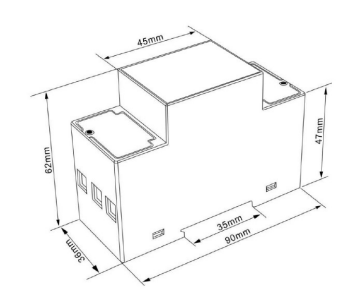
| Dimensions | 2 modules, L:90mm W:36mm H:65.7mm |
| Server location | Switzerland |
| Protection class | II |
| Data volume | ≤ 1KB per device per reading |
| Last modified | 25.09.2023 |
Shipping information
Article number: 152090 Article name: smart-me M-Bus Gateway (mit WiFi Schnittstelle)
Customs tariff number: 9028.1000
Weight including packaging: 150g
Connection diagram
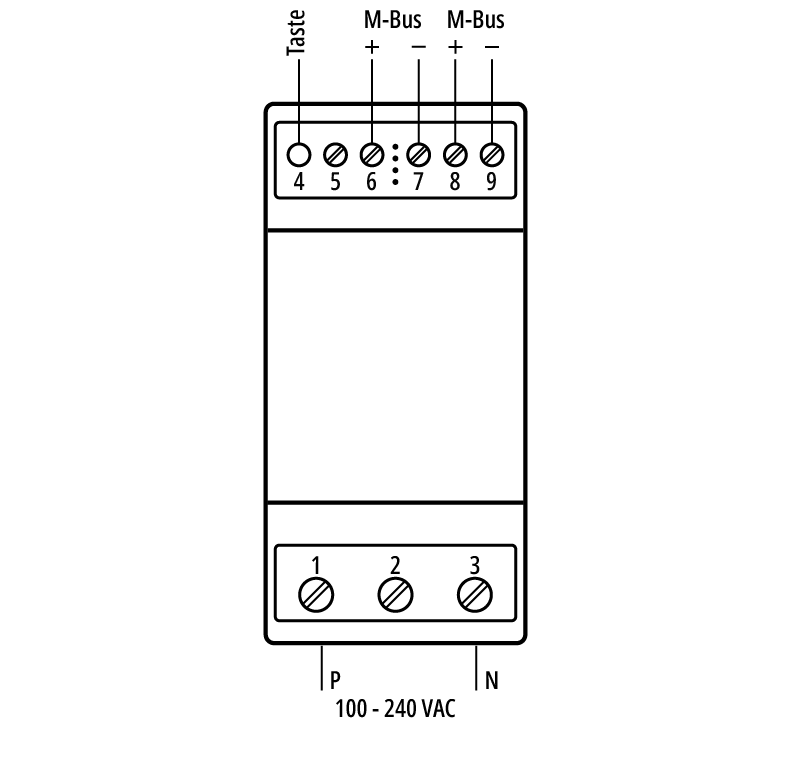
Button function
T(4) button for installation
Pressing the T(4) button for 10 seconds creates a local WiFi network for the installation
Dimensions
Downloads and declaration of conformity
(*.DXF and *.DWG files can be found in the ZIP archive)