Define tariff times
Structure of the if action for virtual tariffs
You can use an additional condition to define when this tariff applies. This can be a time span (e.g. for peak / off-peak tariff) or any other condition. The condition must first have been defined as an if/then action. The most common examples are described below.
Notes:
- Once you have defined all tariffs, you must click Recalculate (Neu rechnen). This ensures that all virtual tariffs are calculated correctly. This process can take several hours.
If / Then interface

Creating a dual tariff step by step
Check the tariff sheet for the peak tariff times. In our example, the situation is as follows:
Peak tariff (HT) time:
Mon–Fri: 7:00 to 22:00
Sat: 7:00 to 13:00
Off-peak tariff (NT) time:
Mon–Fri: 22:00 to 7:00
Sat: 13:00 to 00:00
Sun: All day
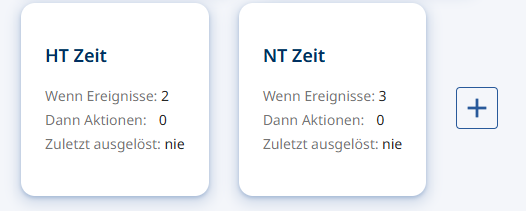
Create the HT time
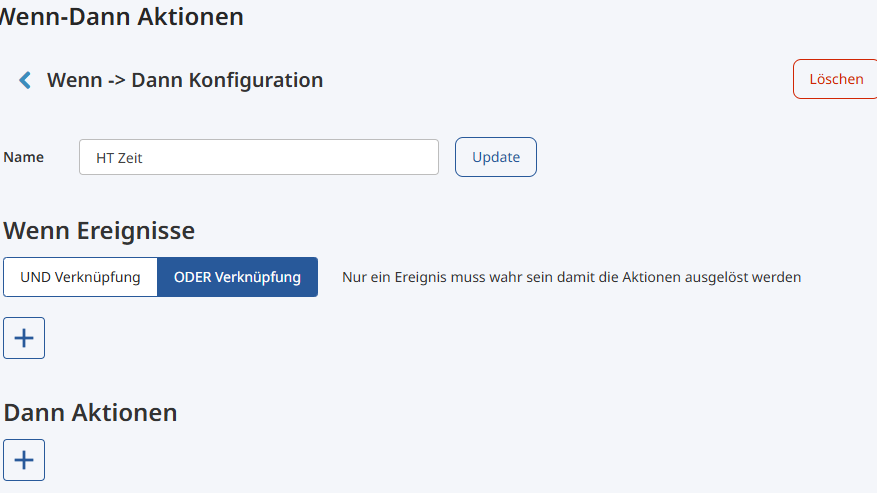
Click the "+" to create a new timing.
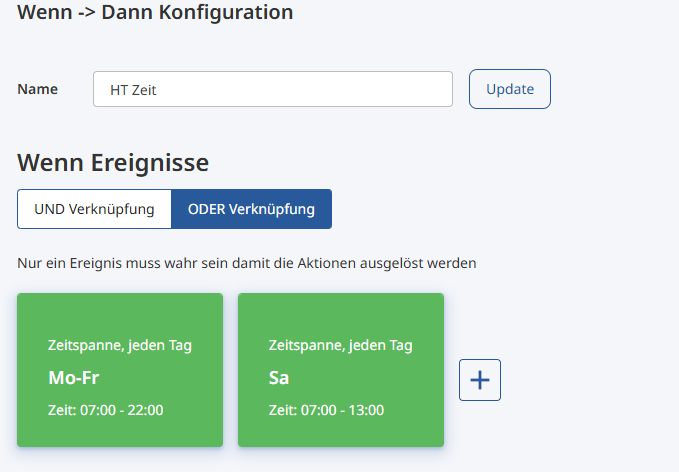
Select the OR operator (Oder-Verknüpfung)
OR function:
If any of the IF conditions applies, it is HT time.
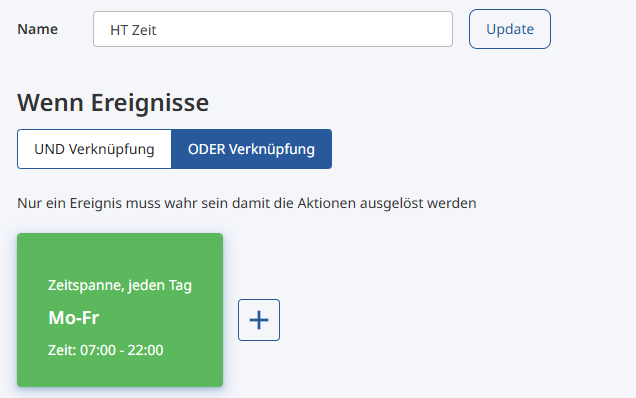
Under IF events (WENN Ereignisse), click the "+" to create the HT time Mon–Fri.
HT time Mon–Fri

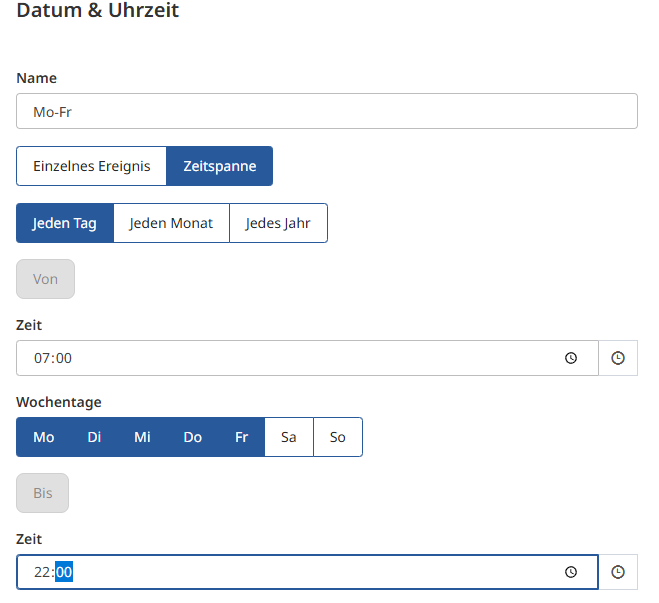
Select Date & time (Datum & Uhrzeit)
Define the times for Mon–Fri
7:00 to 22:00
and save the setting.
HT time Saturday
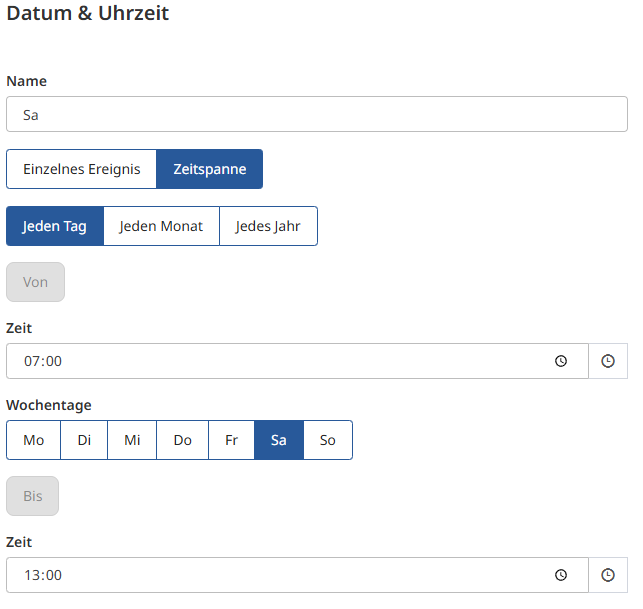
Under the IF events (WENN Ereignisse), click "+" again to define Saturday.
Select Date & time (Datum & Uhrzeit)
Define the times for Saturday
7:00 to 13:00
and save the setting.
The HT time is now defined.
Create the NT time
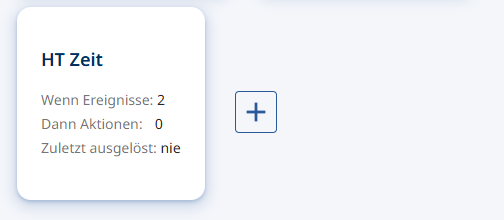
Click the "+" to create a new timing.
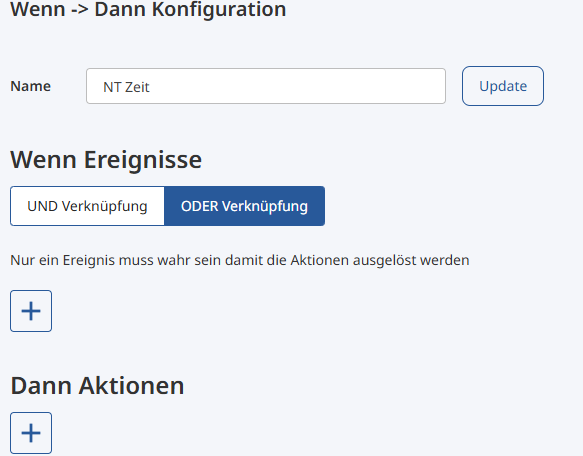
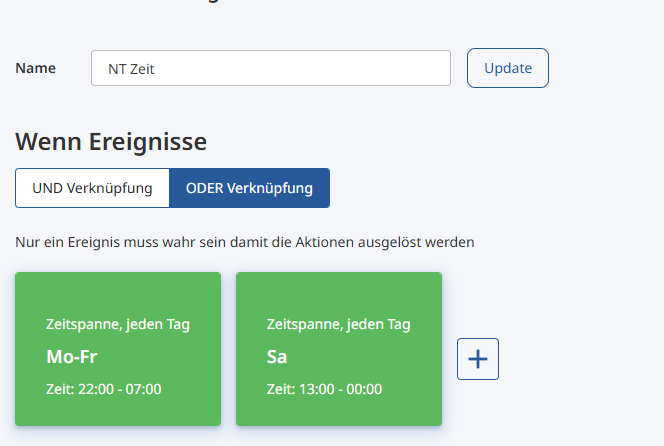
Click "+" to add another action for the NT time
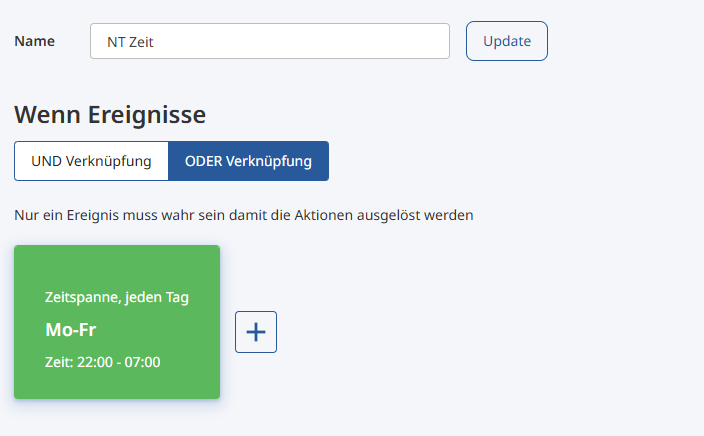
NT time Mon–Fri
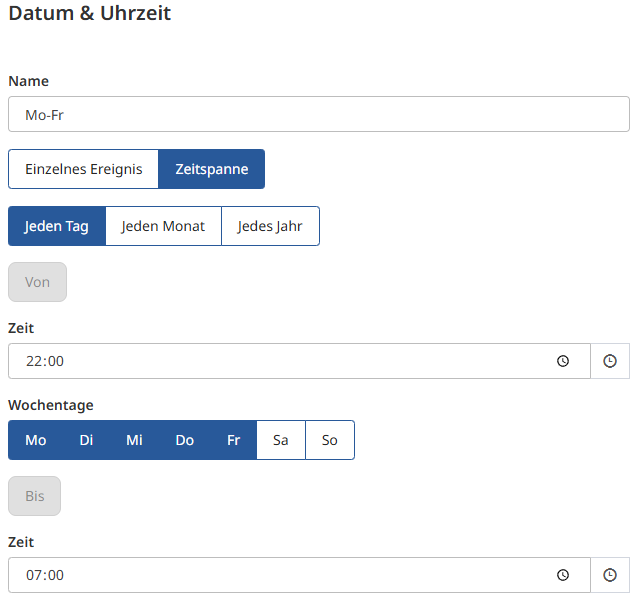
Select Date & time (Datum & Uhrzeit)
Define the NT time for Mon–Fri
In this case, it corresponds to the time from 22:00 to 7:00
Save the setting.
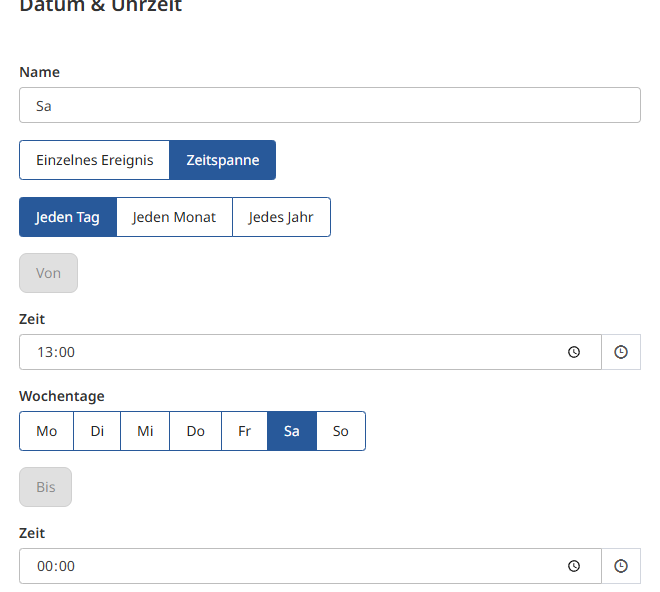
NT time Saturday
Click "+" to define Saturday
Select Date & time (Datum & Uhrzeit)
Saturday is defined as follows:
13:00 to 00:00 of the same day
Save the setting.
NT time Sunday
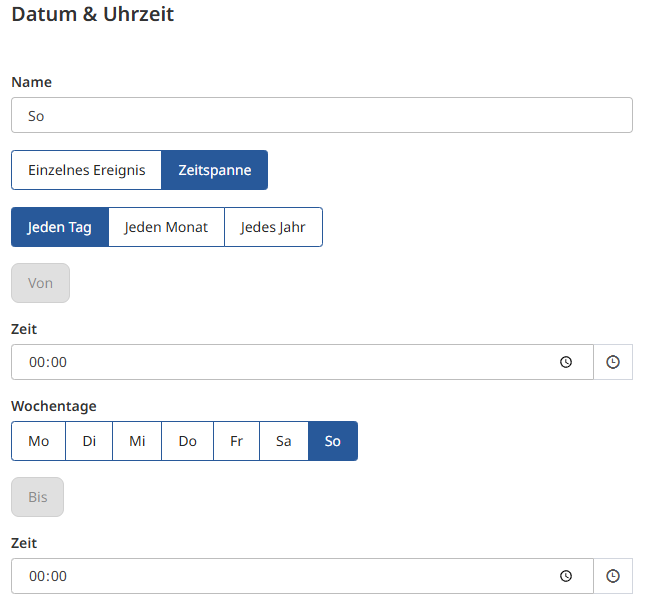
Click "+" to define the remaining Sunday
Select Date & time (Datum & Uhrzeit)
For an all-day off-peak tariff on Sunday, enter 00:00 to 00:00 for Sunday.
Save the setting
Assign timings to the tariffs
Now that you have defined the relevant tariff times, return to the tariff definition to assign the timings to the tariffs.
Other examples
Depending on your energy supplier's tariff model, the if action looks different. Expand the structure that matches your case.
Peak and off-peak tariff for grid power and flat tariff for solar power
-
Solar power flat tariff: define a solar tariff without an if action
-
Grid power peak tariff: define a normal tariff with an if action
- Example: Mon to Fri 7h00 to 22h00 or Sat 7h00 to 13h00
-
Grid power off-peak tariff: define a normal tariff without an if action
Logic: The available solar power is distributed first. If too little or none is available, the normal tariff that meets a condition is used. Finally, the tariff without a condition is used for the remaining power.
Peak and off-peak tariff for grid and solar power
-
Solar power peak tariff: define a solar tariff with an if action
- Example: Mon to Fri 7h00 to 22h00 or Sat 7h00 to 13h00
-
Solar power off-peak tariff: define a solar tariff with an if action
- Example: Mon to Fri 22h00 to 7h00 or Sat 13h00 to 7h00 or Sun 0h00 to 0h00
-
Grid power peak tariff: define a normal tariff with an if action
- Use the same if action as for the solar power peak tariff
-
Grid power off-peak tariff: define a normal tariff with an if action
- Use the same if action as for the solar power off-peak tariff
Logic: The available solar power with the valid condition is used first. If too little or none is available, the normal tariff with the valid condition is used. In this use case, it is important that 24h/day is covered by an if condition.
Summer and winter with peak and off-peak tariff for grid power and flat tariff for solar power
-
Solar power peak tariff: define a solar tariff without an if action
-
Grid power peak tariff summer: define a normal tariff with an if action
- Example: Time span every day (Zeitspanne Jeden Tag): Mon to Sun 7h00 to 22h00 and time span every year (Zeitspanne Jedes Jahr) from 1 / 04 / 00:00 to 1 / 10 / 00:00.
-
Grid power off-peak tariff summer: define a normal tariff with an if action
- Example: Time span every day: Mon to Sun 22h00 to 07h00 and time span every year from 1 / 04 / 00:00 to 1 / 10 / 00:00.
-
Grid power peak tariff winter: define a normal tariff with an if action
- Example: Time span every day: Mon to Sun 7h00 to 22h00 and time span every year from 1 / 10 / 00:00 to 1 / 4 / 00:00.
-
Grid power off-peak tariff winter: define a normal tariff with an if action
- Example: Time span every day: Mon to Sun 22h00 to 07h00 and time span every year from 1 / 10 / 00:00 to 1 / 4 / 00:00.
Logic: The available solar power is used first. If too little or none is available, the normal tariff with the valid condition is used. In this use case, it is important that 24h/day is covered by an if condition.