Delete meter
This page describes how to delete or deactivate a meter.
General
The data of a deleted meter is permanently deleted and cannot be restored.
smart-me generally does not recommend deleting meters. We recommend deactivating meters instead. Deactivated meters do not incur any license costs, and you can access the historical data at any time.
For M-Bus meters, deleting is not effective, because the meters reappear in the portal at the next reading if they are still online. In this case, deactivation is the only option.
Deactivate a meter
-
Log in to the portal
-
Select the meter
-
Select the gear icon at the top right
-
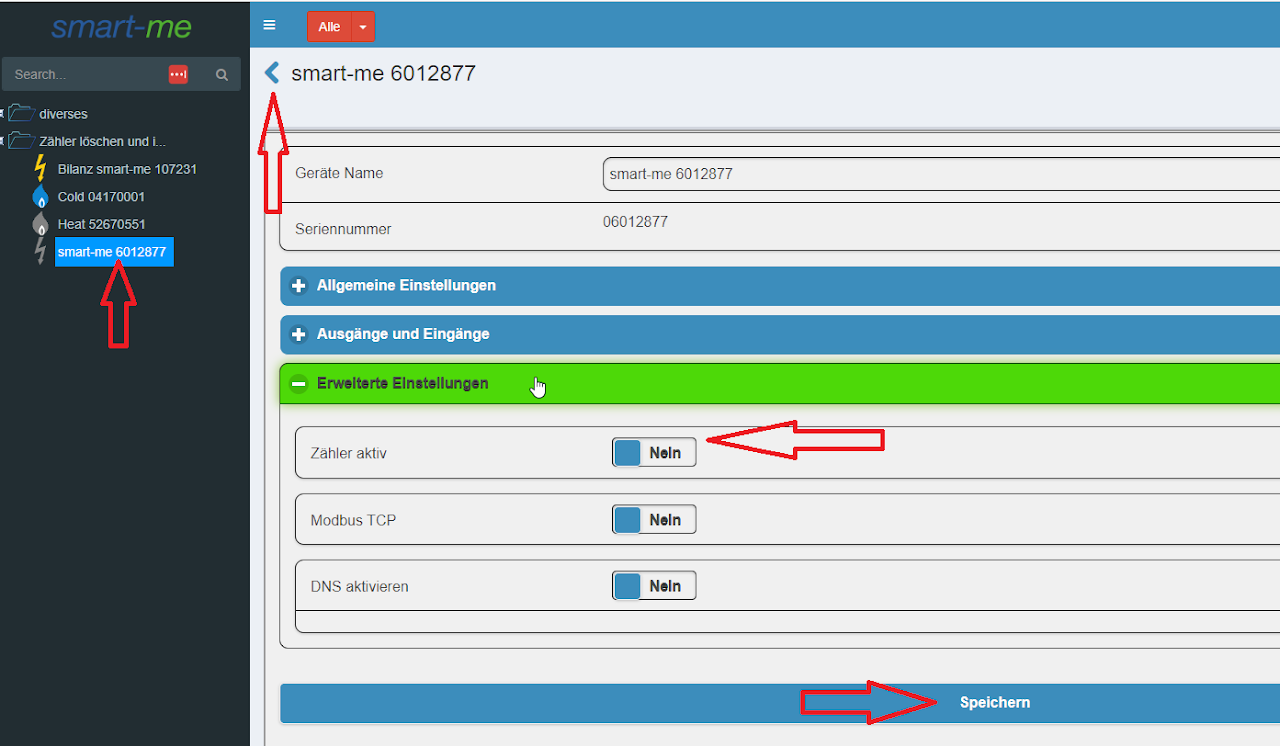
Advanced settings (Erweiterte Einstellungen)
-
Set Meter active (Zähler aktiv) to no
-
Save (Speichern)
-
Select the arrow at the top left to return to the main overview
-
The meter is now grey
Deactivate a Pico
-
Log in to the portal
-
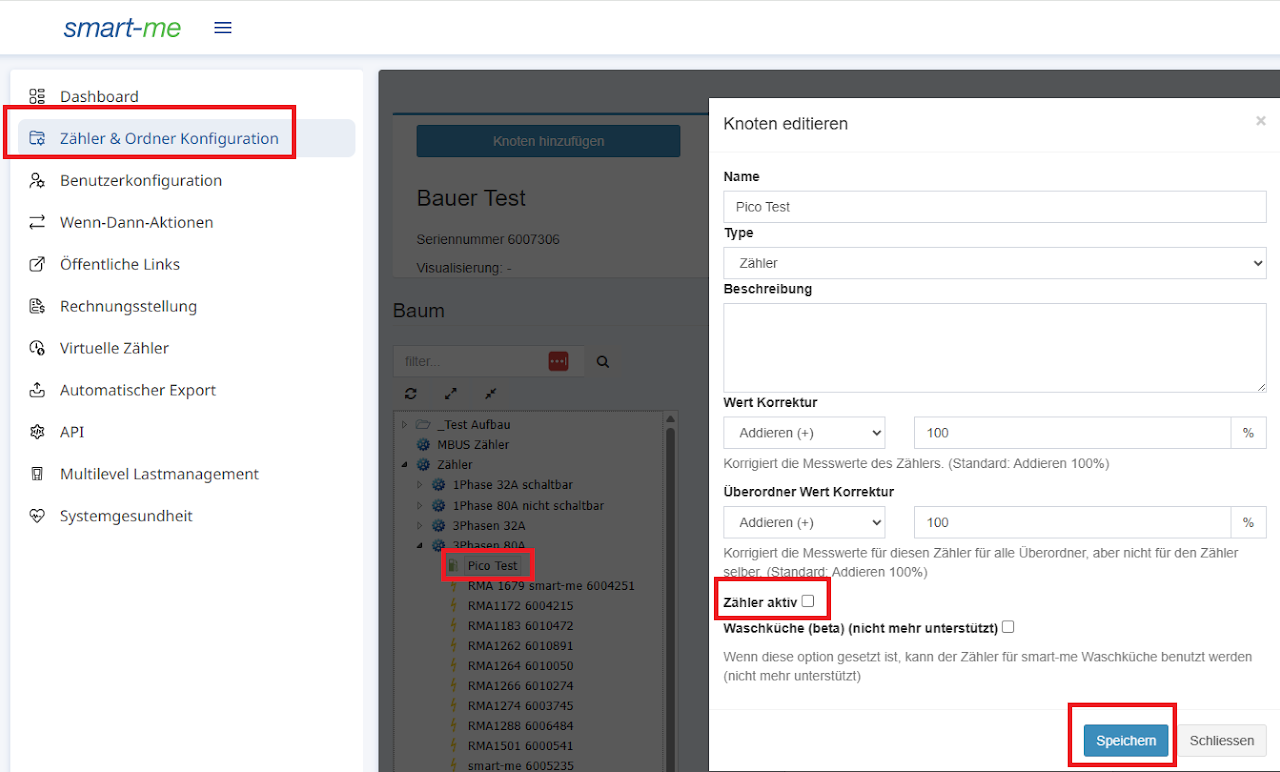
Select Meter & Folder Configuration (Zähler und Ordner Konfiguration)
-
Select the Pico in the tree
-
Edit node (Knoten editieren)
-
Deselect Meter active (Zähler aktiv)
-
Yes (Ja)
-
Save (Speichern)
-
The Pico is now grey
Delete a meter
-
Deletion is irreversible
-
Log in to the portal
-
Select the meter
-
Select the gear icon at the top right
-
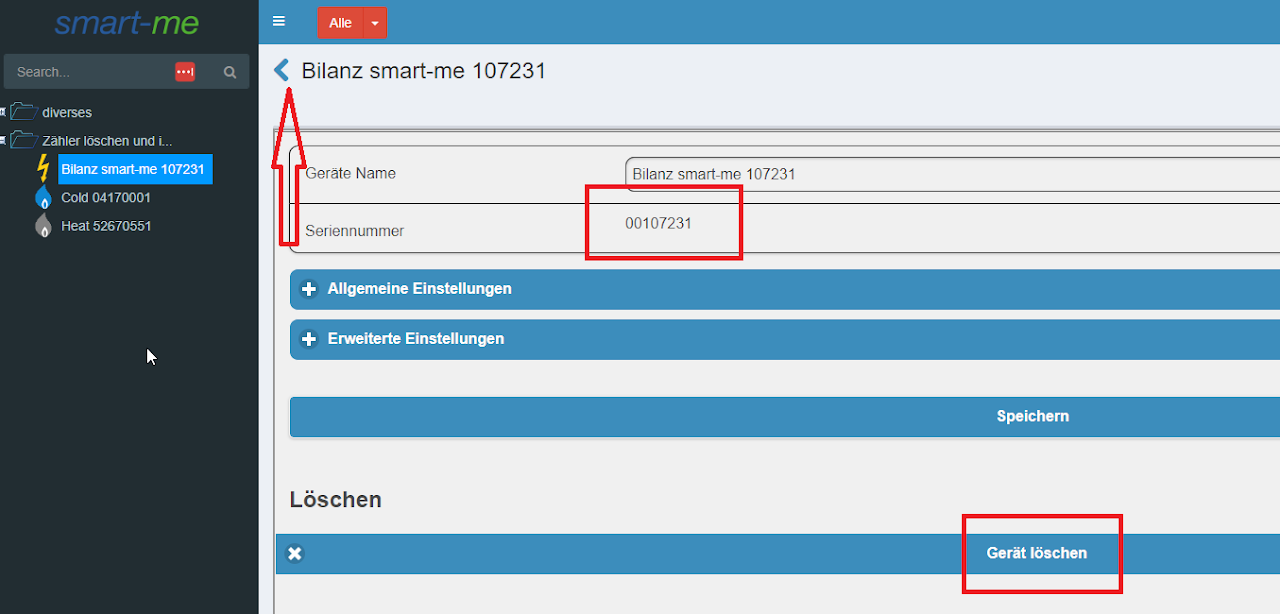
Check that the serial number is correct. The field must not be empty.
-
Delete device (Gerät Löschen)
-
Check that the serial number is correct. The field must not be empty.
-
Yes (Ja)
-
Select the arrow at the top left to return to the main overview.
-
The meter is now deleted.