Pico Configuration
On this page you will find the most important configurations related to the Pico hardware. The Pico charging station is always configured first via the smart-me platform. After that, the authentication method can be enabled via a backend system (eCarUp).
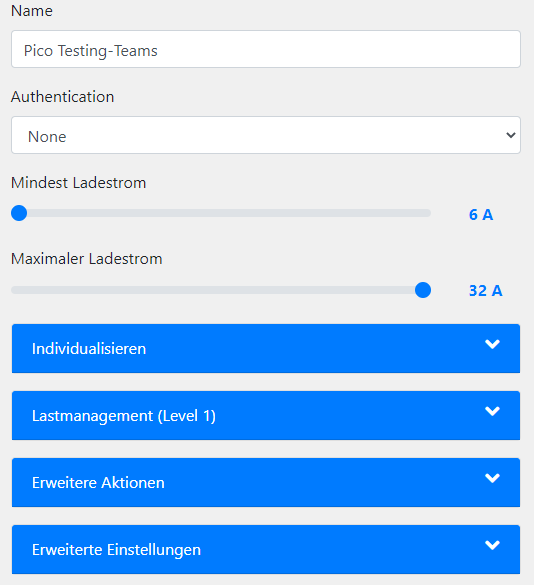
Authentication (private, semi-public, public)
The Pico charging station can be used either with or without an authentication method.
Configuration None:
No authentication is required for charging. (Charges as soon as it is plugged in.)
Configuration with eCarUp Backend:
To operate a Pico publicly or semi-publicly, or to use any kind of authorization function, the station must be operated in backend mode via eCarUp.
Authorization functions:
-
RFID
-
manual On / Off via app
-
QR codes
-
CarID (requires activation in the advanced settings in the smart-me portal)
As soon as “eCarUp Backend” is selected, the station is automatically added to the eCarUp account with the same name. (Same username and password as for smart-me.)
You configure eCarUp in the web portal at www.ecarup.com.
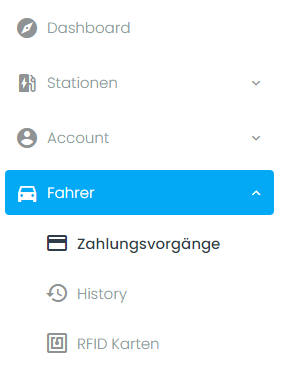
Under Drivers (Fahrer), add an RFID card tag or read in a "card tag" using the eCarUp app for Android and iOS.
Details on configuring eCarUp and public charging stations can be found in the eCarUp Wiki: https://ecarupwiki.smart-me.com
Configuration with external OCPP backend:
To integrate the Pico into a third-party backend, you only need to enter the third-party backend URL on the respective charging station.
This should not be used if the station is connected via eCarUp.
Note: The URL starts with ws:// or wss://
Pico setting in the smart-me portal:

eCarUp portal menu:
Enter the third-party backend URL:

Configuration for private use with RFID authentication
-
Navigate to Stations (Stationen) → Management (Verwaltung) in the eCarUp portal
-
Edit (Bearbeiten) → Edit connector (Anschluss bearbeiten)
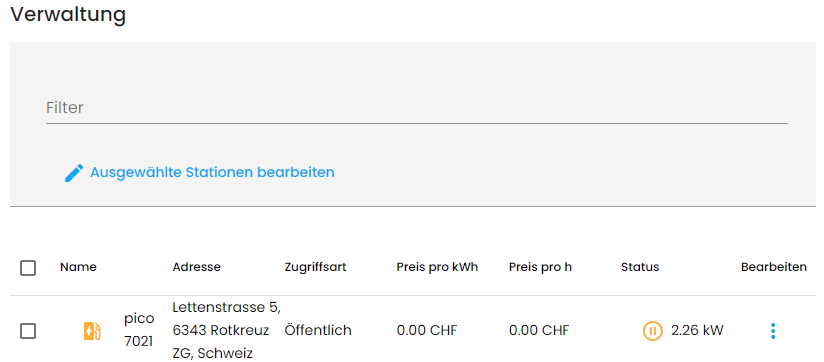
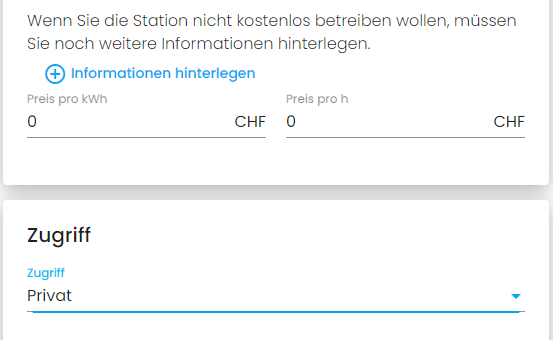
Prices (Preise) = 0 CHF, Access (Zugriff): Private (Privat)
Configuration for limited use with RFID authentication (tenants with special prices)
-
Navigate to Stations (Stationen) → Management (Verwaltung) in the eCarUp portal
-
Edit (Bearbeiten) → Edit connector (Anschluss bearbeiten)
3. Select prices (Preise)
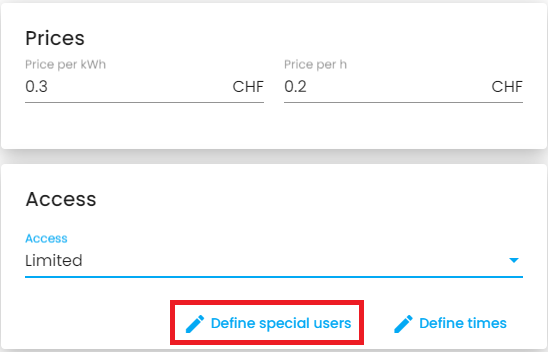
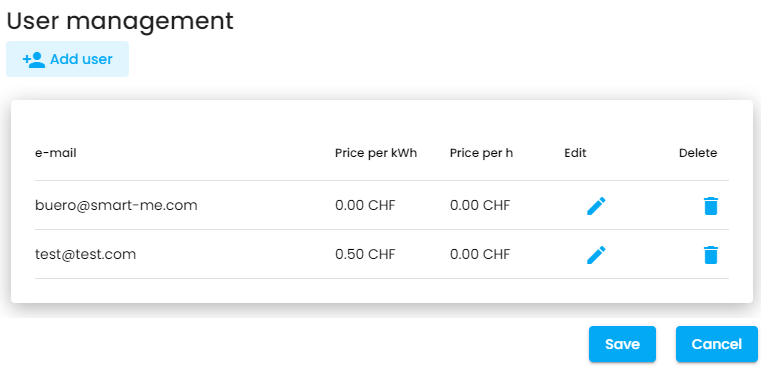
4. Define special users and their prices
The drivers create their own account with eCarUp and give the account name to the station owner.
Personalizing the Pico display
We advise against inserting a black background image, as it is then unclear whether the Pico is running or not. Especially when it is offline, it is difficult to judge from a distance whether the station is defective or not connected. For this reason, we recommend that energy-conscious users add this 4-pixel image so that it is always possible to see whether the station is still running locally or not. Pixel Status.gif
The name of the station and the display when not in use can be freely chosen and personalized.
In addition to the emoticons already available, you can also upload your own GIFs or images.
-
Supported formats: JPG, PNG, GIF
-
Resolution: 32x32 pixels
-
Size: max. 200 kB
-
Background should be completely black (#000000)
-
Animations (GIF) run at 10 frames/s (100ms per frame)
Note: You get the best image result if, when creating and editing, you make sure the image is uploaded at 32x32 pixels in GIF format.
-> Create your own GIFs with piskelapp

Load management and limitation
Limiting station power
The Pico charging station can be standardized during installation.
This setting is taken into account by the automatic load management and is never overwritten.
With the maximum charging current setting, the maximum power of the station can be permanently limited. The limitation is set in 1-ampere steps.
32A = 22kW maximum power
16A = 11kW maximum power
With the minimum current setting, charging is prevented or suitable minimum currents are set for starting to charge a car.
Note: Some vehicles cannot be charged with a starting current of 6A due to the technology installed in the vehicle. In this case, the minimum current can be set higher.

Static load management (station group)
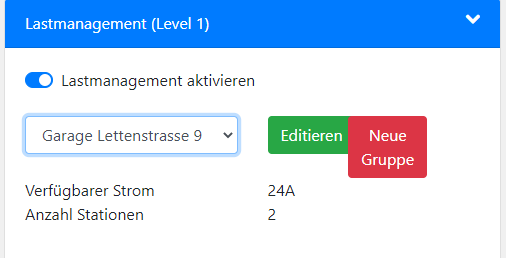
Static load management controls stations within the same load management group. The function ensures that the maximum current on the supply line, e.g. ribbon cable, is not exceeded and controls the distribution of the available current to the stations.
The size of the charging groups is limited to 200 charging stations.
Function in detail: The charging stations regulate themselves based on the defined maximum current. The 3-phase charging power is distributed among all active stations until the minimum configured 3-phase power can no longer be provided to all charging cars. The power is then switched to 1-phase. All cars continue to charge 1-phase with the maximum possible current per phase (phase switching). Further charging only becomes impossible once all cars already charging have reached the 1-phase minimum. As soon as one of the charged vehicles leaves the station, the reserved charge is released for another one.
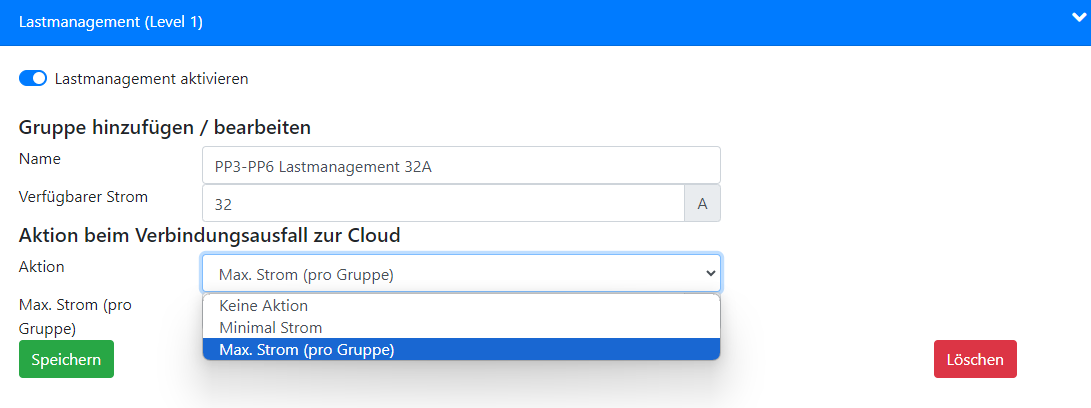
Configuration:
-
Create a load management group (New group (Neue Gruppe))
-
Define the maximum current of the supply line (Available current (Verfügbarer Strom))
-
Define the action in case of connection loss
(For combination with multilevel load management, only the version Max. current per group (Max. Strom pro Gruppe) can be used)
-
Add stations to the corresponding load management group (Edit (Editieren))
More details: Pico load management
Dynamic load management and solar-optimized charging with multilevel load management (MLM)
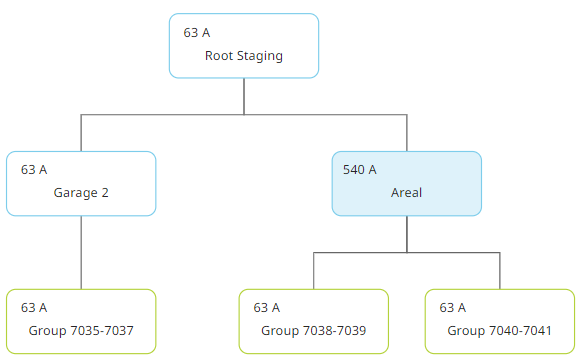
Dynamic load management makes it possible to take a reference point into account and to control the maximum currents at this reference point. In e-mobility, either the building connection point or the distribution point is chosen for this.
The following products are suitable as hardware for the reference measurement:
Dynamic load management is configured via smart-me multilevel load management.
Details and examples can be found here: Multilevel load management
Taking into account the current flowing at this reference point, you can accordingly influence the maximum currents of the station groups.
Load shedding
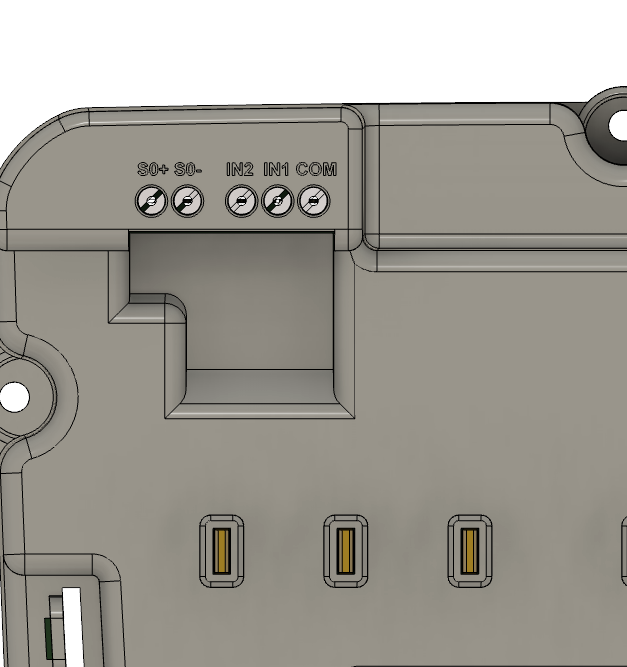
Hardware load shedding (external inputs of the Pico)
Pico load shedding
Load shedding can also be implemented with only one available signal.
For the configuration from no charging to maximum charging power, the signal is wired to IN1 and IN2 as well as COM. For the configuration from 6A minimum power to maximum charging power, the signal only needs to be wired to IN2 and COM.
COM is the neutral conductor; IN1 and IN2 must be supplied with a voltage for the ON signal. IN1 and IN2 do not generate any voltage; it must be provided externally.
Caution: Load shedding can be wired either to all Picos or at least to one from each static load group. This function also works without internet!
Cloud-based load shedding via MLM
Load shedding can also be implemented via multilevel load management. The advantage is that no signal needs to be connected to the Pico hardware; instead, a signal is applied to any other hardware (meter) and used as a trigger.
The disadvantage, however, is that the function is not executed if there is no internet connection.
More details on the setup: Multilevel load management
Advanced actions
Here, as the station owner, you can unlock the cable, restart the station or show the meter reading on the display for verification.

Advanced settings
Automatic car detection (Automatische Auto Erkennung): For CarID authentication to work, you must enable communication between the station and the vehicle.
Modbus TCP: Activates the Modbus TCP interface of the Pico
Delete station (Station löschen): Deletes the station and all data in the cloud

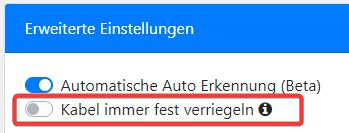
Always lock cable permanently
The charging cable can be locked on the Pico charging station.
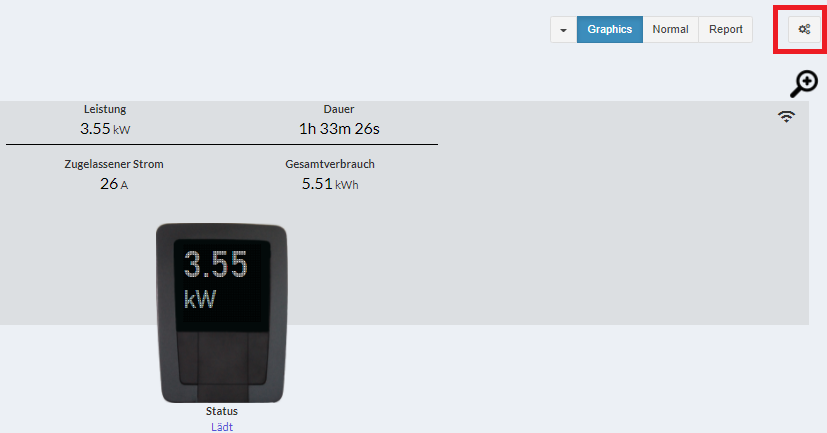
Procedure: Plug in the cable --> Log in to the smart-me portal --> Select the Pico --> Select the gear icon at the top right --> advanced settings (erweiterte Einstellungen) --> Always lock cable permanently (Kabel immer fest verriegeln).
Note:
-
The car must not be plugged in while the cable is being locked.
-
If the power supply is interrupted or the Pico is restarted, the cable is briefly unlocked and locked again on startup.
Prerequisite: The Pico must have at least communication version 0.0.7. Picos manufactured before 31.12.2022 may be affected.