Enter payment details (QR)
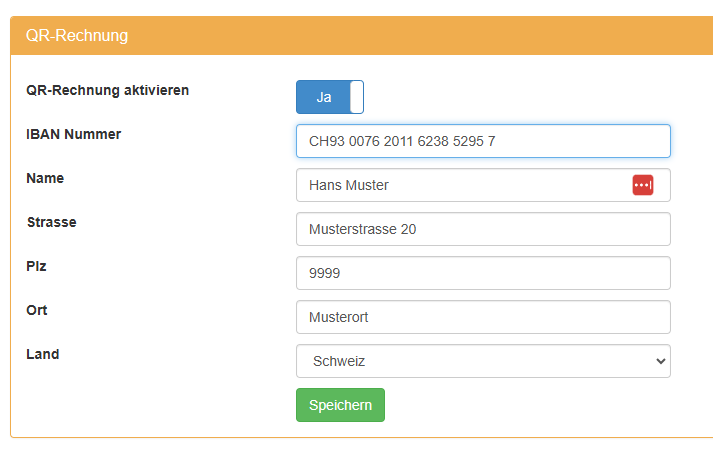
The QR bill can optionally be activated in smart-me Billing.
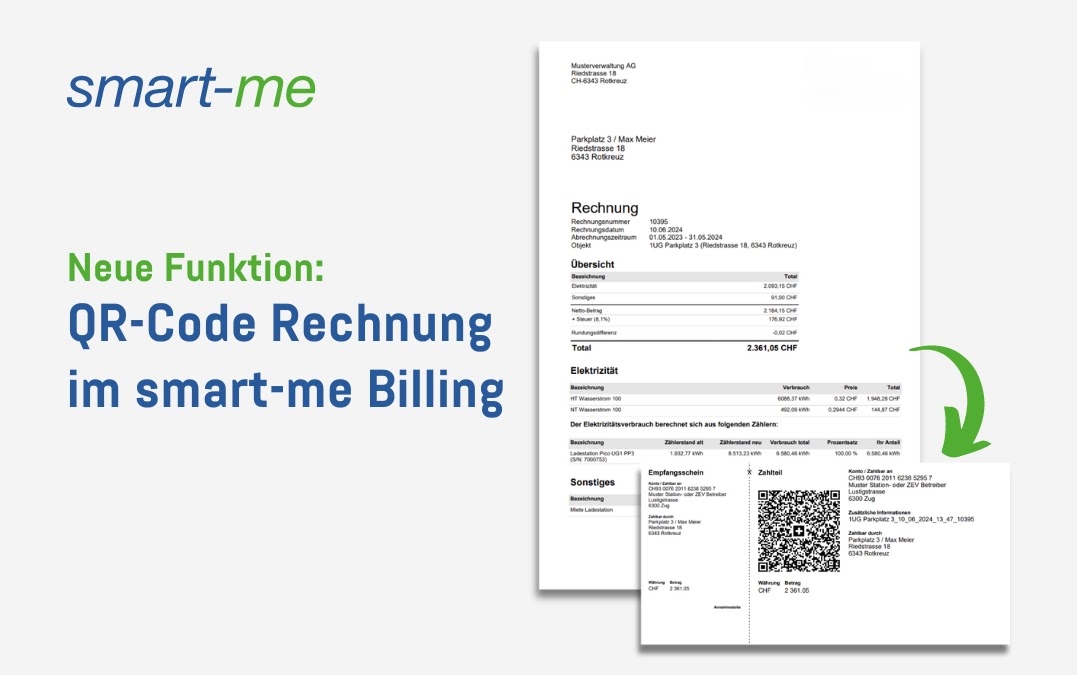
Once the account details have been entered, a QR bill for payment is attached for each billing unit (tenant).
smart-me automatically recognizes correctly filled-in senders if the billing address in Billing is entered on 3 lines. If a company or a form of address is used, it must be added before the name.
e.g.
Firma AG, Peter Lustig
Löwenzahnstrasse 42
6666 Risch
If no valid address is recognized, the Sender (Payable by) field on the QR bill remains empty.
smart-me does not support reference numbers. To use them, you need a third-party system that also supports them (e.g. Bexio).
To identify the invoice without a reference, additional information (message to the beneficiary) is added to the QR bill. It is made up as follows: name of the billing unit (folder name).
The layout is optimized for sending by email. If the invoices are printed, we recommend deactivating the QR bill and ordering it from your bank.