Billing settings
General settings
Log in to the desired smart-me account and open the settings of the billing section.
Here you configure the general settings for how the invoice document is displayed.
- Currency (always EUR for tenant electricity)
- Tax
- Your company logo (for display in the invoice document)
- Header / sender
- Footer
Activate tenant electricity
You can now also activate the toggle at the bottom in the "German tenant electricity" ("Mieterstrom Deutschland") section. This unlocks the additional settings for the tenant electricity extensions.
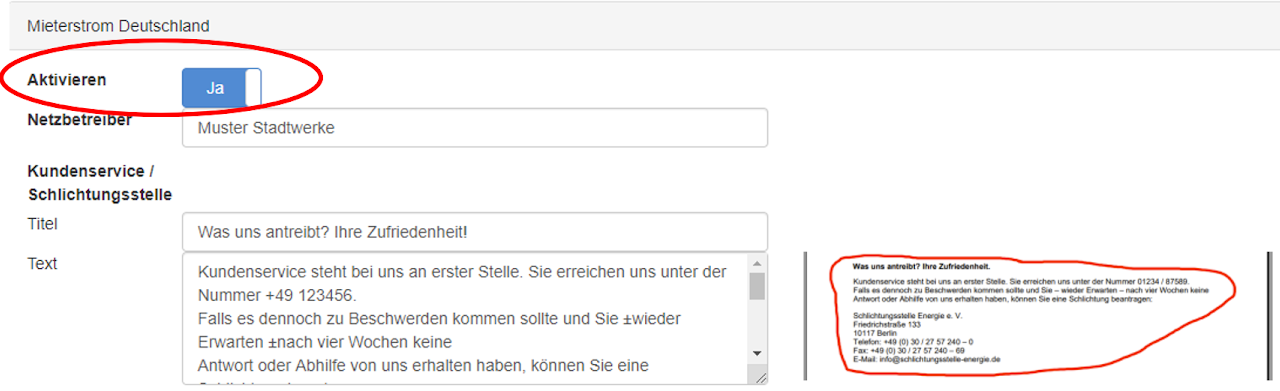
Grid operator
Here you specify who your distribution grid operator is. You should be able to get this information from your electrician/PV system installer or on the internet.
Customer service / arbitration board
Suggested title: What drives us? Your satisfaction
Suggested free text (for all of Germany / no guarantee of legal compliance):
"Customer service is our top priority. You can reach us at 01234 / 87589.
Should you nevertheless have a complaint and – contrary to expectations – not have received a response or remedy from us after four weeks, you can request arbitration:
Schlichtungsstelle Energie e. V.
Friedrichstraße 133
10117 Berlin
Phone: +49 (0) 30 / 27 57 240 – 0
Fax: +49 (0) 30 / 27 57 240 – 69
Email: info@schlichtungsstelle-energie.de
NOTE: The arbitration board listed is only given as an example. There are many arbitration boards in Germany and you are free to choose. Contact the arbitration board of your choice early on.
This information is shown at the very bottom of your invoice document.