IBM Node-RED
The open smart-me API interface can be implemented very easily in flows in IBM's Node-Red. Create workflows using HTTP requests and our API with the full range of data and control.

Reading values from meters - GET
To use the API, you need the HTTP request nodes from Node-Red.
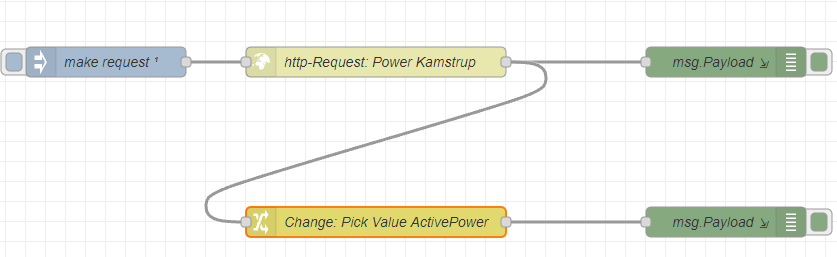
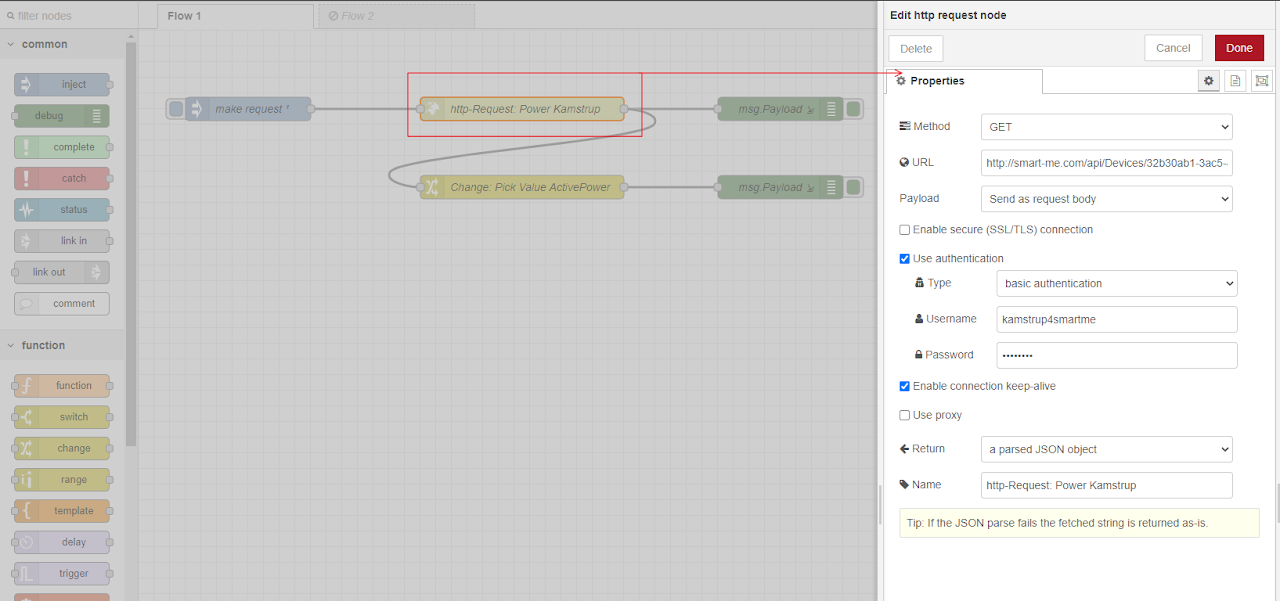
The HTTP request
The HTTP requests are based on our API commands and are used as the URL.
-
.../api/devices --> Read all devices in the account (list)
-
.../api/devices/{id} --> Read the current data of a specific meter; the ID can be found using api/devices.
Here is the command to request current information for a specific meter:
https://smart-me.com/api/devices/{Meter ID} --> https://smart-me.com/api/devices/32b30ab1-3ac5-4...
- All API commands and test tool: API
Authentication:
For authentication, you can use basic authentication with the username and password of your smart-me account.
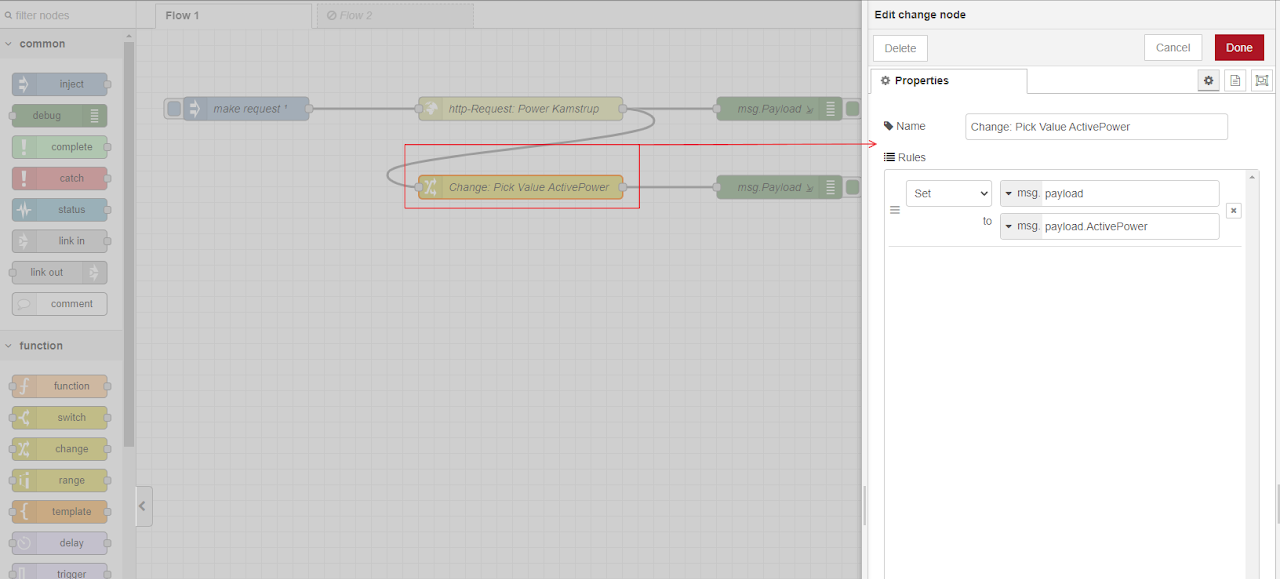
With the change nodes, you can trim the message in the payload down to the relevant data, e.g. ActivePower.
msg.payload.ValueName (same spelling as in the JSON)
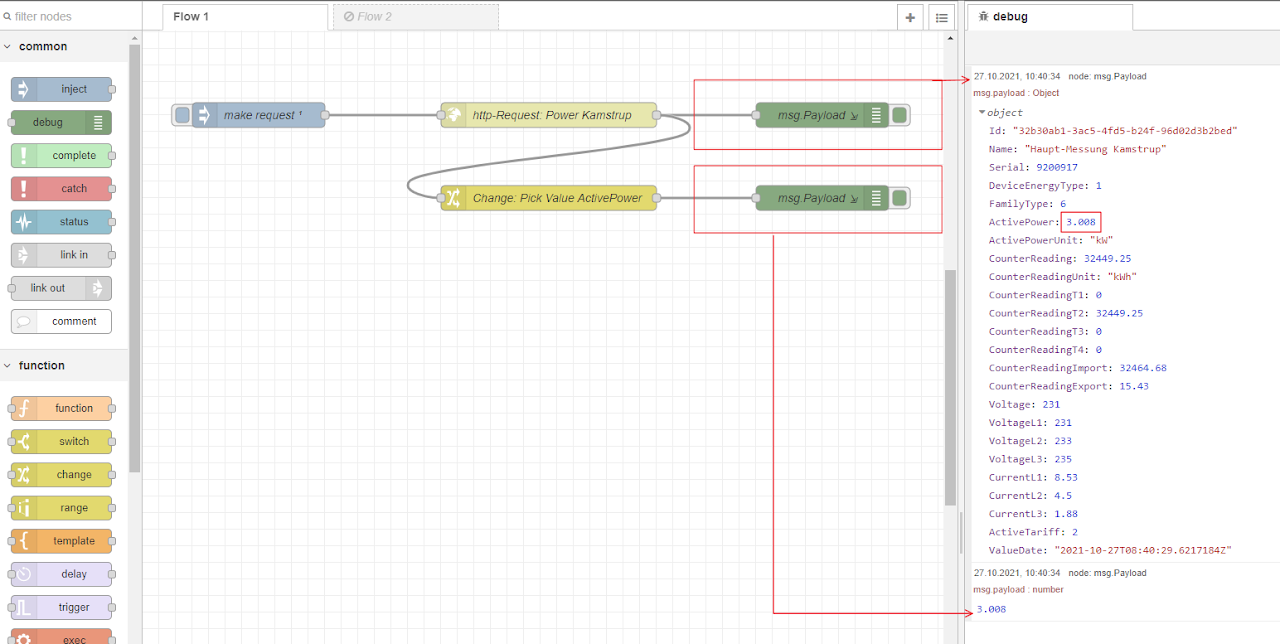
As a test, here with the value of ActivePower => 3.008
Examples:
-
ActivePower
-
CounterReading
-
CurrentL1
Switching I/O - POST

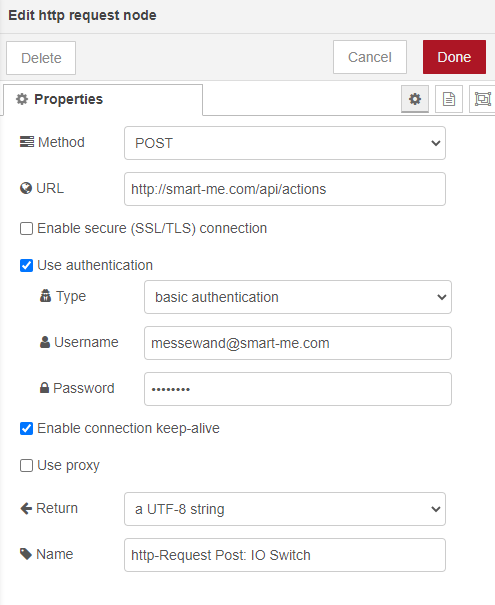
Our outputs can be controlled with the HTTP request node. To do this, a JSON code must be sent via an HTTP request node.
The corresponding POST command is the http://smart-me.com/api/actions command.
The GET command /api/actions/{id} lets you find the available outputs for the respective device.
For the Telstar 80A and CT, the OBIS codes of the outputs are always the same.
(Note that only the digital outputs defined on the device are listed)
Output api/actions/{id}:
[
  {
    "Name": "Output 0",			"S0-0 Ausgang"
    "ObisCode": "63000C0101FF",
    "ActionType": 0
  },
  {
    "Name": "Relais",			"S1 Ausgang"
    "ObisCode": "63000C0102FF",
    "ActionType": 0
  }
]
Configuring POST with the api/actions command
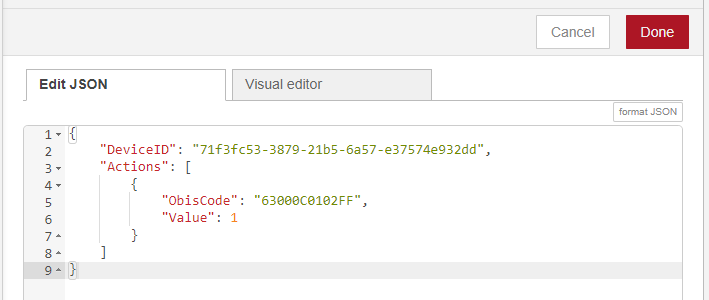
JSON command structure for the POST command api/actions in the inject node: switching the S1 relay from 0 (OFF) to 1 (ON).
{
"DeviceID": "string",
"Actions": [
{
"ObisCode": "string",
"Value": 0
}
]
}
Support for Node-RED
For further processing of the data in Node-Red, refer to the Node-RED website and community.
For detailed information on the commands: https://smart-me.com/swagger/ui/index#!/AccessToken/AccessToken_Put