Bexio
Prerequisite
You need a smart-me Professional subscription to create energy cost invoices.
smart-me Billing can import invoices into Bexio automatically. Bexio is business software. More information: https://www.bexio.com/
Features
- Customer management in Bexio: smart-me Billing takes over the customer master data from Bexio
- Invoice export: The energy cost invoices can be created, sent and managed in Bexio.
- Automatic payment reconciliation / automatic dunning
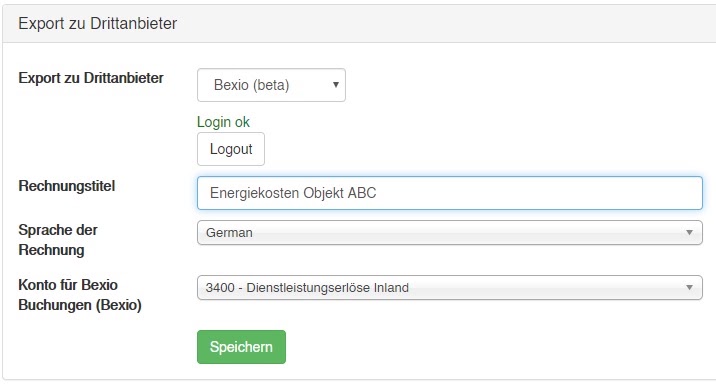
1. Activate Bexio
- Open smart-me Billing
- Select "Configuration" ("Konfiguration") and the property
- Under "Export to third-party provider" ("Export zu Drittanbieter"), select Bexio
- Click Login and log in to Bexio
- Click Save ("speichern")
- Wait until Login ok (green) appears (this can take 1-2 minutes)
- Invoice title (Rechnungstitel): The title of the invoice in Bexio
- Invoice language (Sprache der Rechnung): The language Bexio should use for the invoice.
- Account for Bexio postings (Konto für Bexio-Buchungen): The Bexio account to which the line items should be assigned.
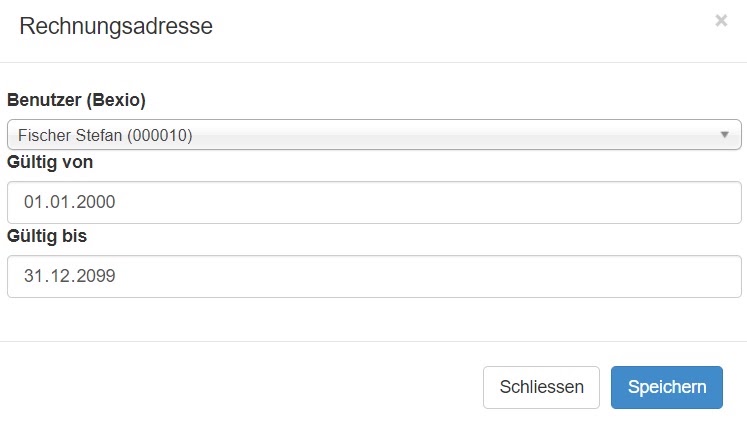
2. Assign tenants
- Select "Configuration" ("Konfiguration") and an apartment
- Under billing address (Rechnungsadresse), click "Add" ("Hinzufügen")
- Select the contact from Bexio
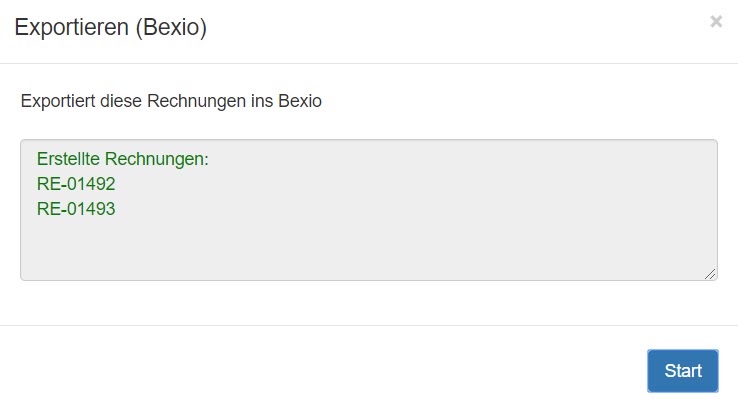
3. Export invoices to Bexio
Create the invoices for a property
-> The invoices are automatically exported to Bexio.
smart-me Billing takes over the invoice number from Bexio (example: RE-1570 is the invoice with number 1570 in smart-me)
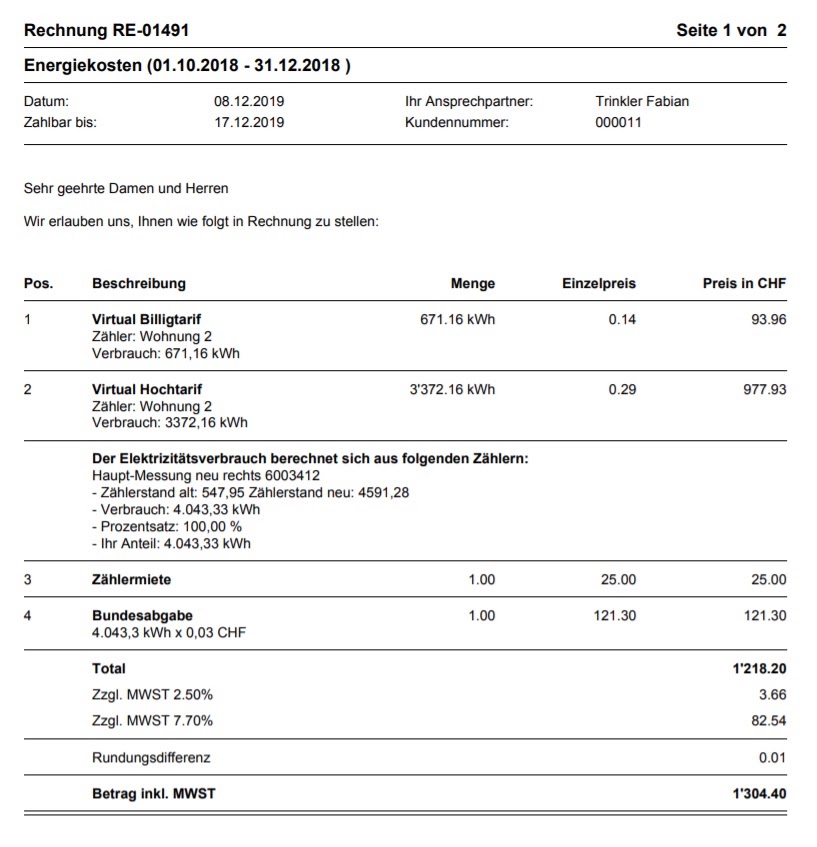
4. Invoices in Bexio
The invoices have now been created in Bexio and can be processed further.
- Log in to Bexio
- Open the invoices

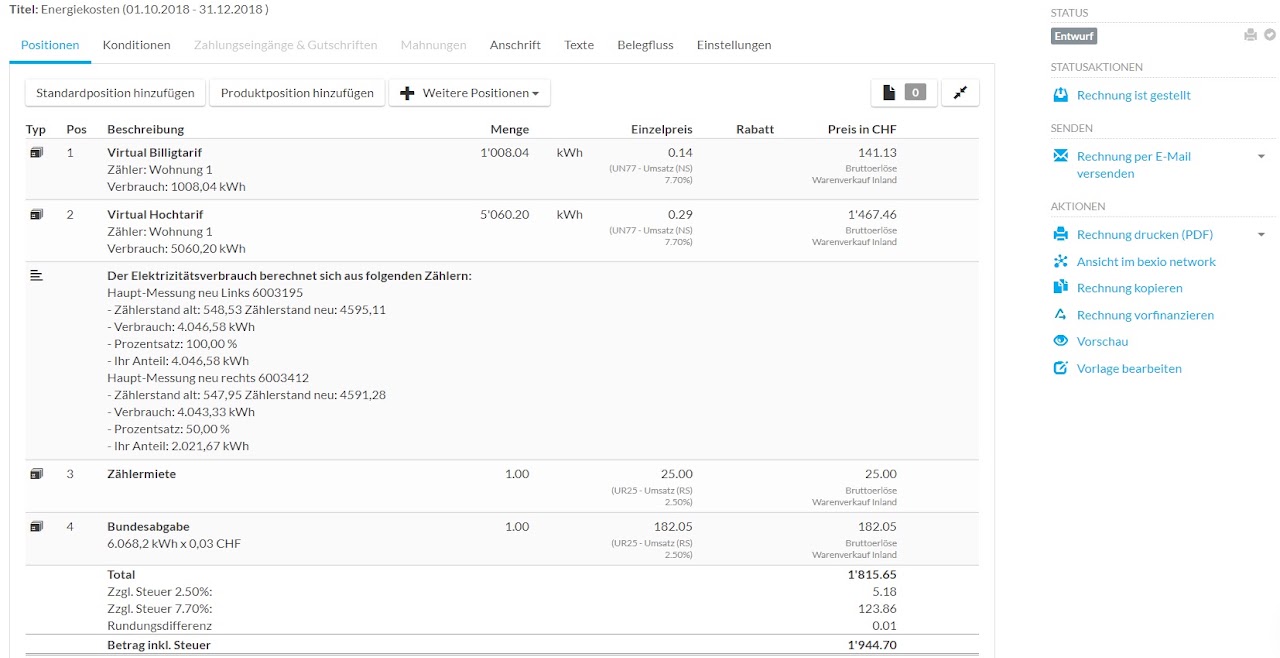
Example of an exported electricity invoice
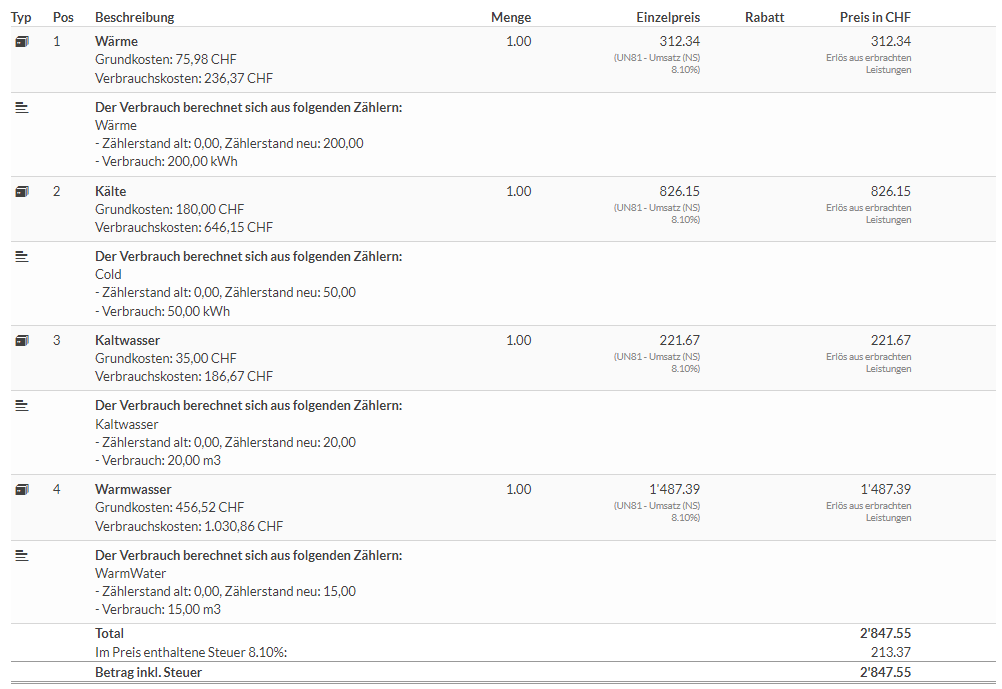
Example of an exported VEWA invoice
5. Config
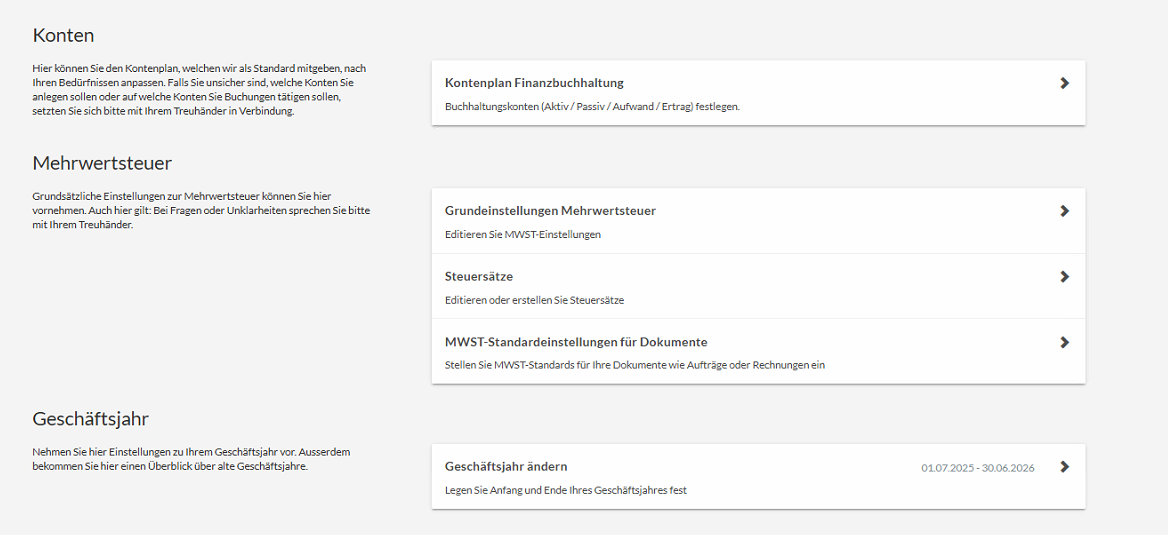
Under Settings >> All settings >> Accounting (Einstellungen >> Alle Einstellungen >> Buchhaltung)
Check whether the Tax rates (Steuersätze) tile is visible.
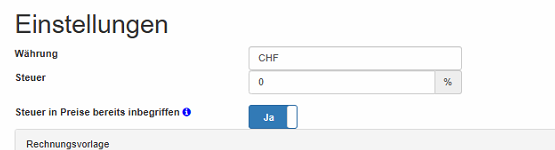
smart-me settings
Tax rates 0%
Included.
5. Troubleshooting
account_id [Diese Eingabe ist nicht korrekt.] The account for Bexio postings is invalid. You must use a Bexio account to which invoices can also be posted.
tax_id [Diese Eingabe ist nicht korrekt.] No valid tax rate was found for an invoice line item. - Check whether all tax rates used (0%, 8.1%, 2.6%,...) exist in Bexio and are valid - Make sure that all relevant VAT rates are assigned to Form 303. If not, create additional ones for each tax. --> Settings overview --> Accounting --> Tax rates --> Edit VAT (Übersicht Einstellungen --> Buchhaltung --> Steuersätze --> Mehrwertsteuer bearbeiten)
No Bexio address found for user (Keine Bexio adresse für Benutzer gefunden) No Bexio user, or an invalid one, has been assigned to the tenant. Please assign a user to the tenant (see above: 2. Assign tenants)
{"error_code":422,"message":"The form could not be saved due to the following errors:","errors":["positions: 0 [account_id [Diese Eingabe ist nicht korrekt.]]"]}
Solution 1:
In smart-me, a tax is already included in the settings, e.g. 8.1%.
In Bexio, nothing is set up under Settings (top right) / All settings / Accounting / VAT basic settings (Einstellungen / Alle Einstellungen / Buchhaltung / Grundeinstellung MWST).
Option: enter 0% in smart-me.
Solution 2:
In smart-me, select 3400 for the export (account for Bexio posting).
Private individuals can create an account 3680 Other revenue (Sonstige Erlöse)
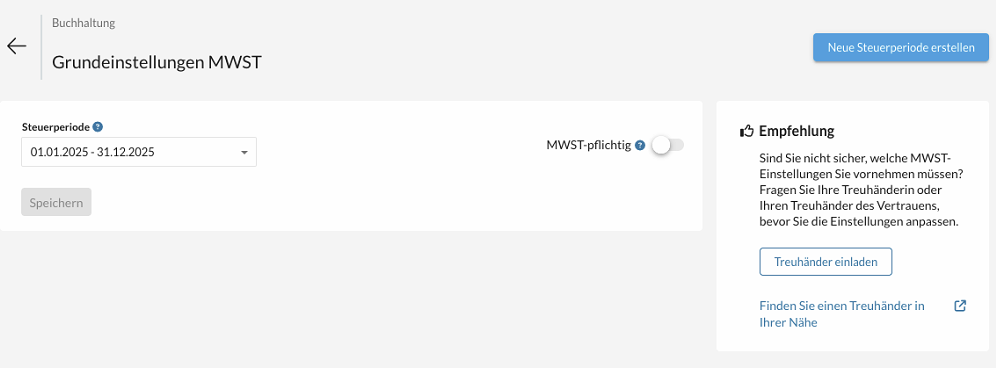
No tax in bexio found for 0%
Add VAT.
Contact

Alte Jonastrasse 24, CH-8640 Rapperswil
+41 71 552 00 60 · support@bexio.com · www.bexio.com